Wan AI: Long-Take Wan Video with Wan 3.0 and Pictures up to 4K with Wan 2.7
What is Wan AI?
Alibaba's video and image models: single-shot video up to 30 seconds, plus 4K text-to-image and multi-image editing.
Wan AI is Alibaba's family of video and image models, known in China as Tongyi Wanxiang. It made its name in 2025 by releasing Wan 2.1 and Wan 2.2 with open weights, which is why so many people still run them on home computers.
Wan 3.0 is the Wan AI video generator: one continuous shot of up to 30 seconds, with sound you can keep or switch off. It can start from a sentence, from an opening and a closing frame, or from photos and short clips of the people and things that belong in the shot. Wan 2.7 Image Pro makes 4K pictures from text alone, reasoning through the prompt before it draws, and can combine up to nine of your photos into one image.
Wan 3.0
Newest Wan video model, for long single-shot clips.
- 2–30 s
- 480P / 720P / 1080P
- Sound on or off
- Up to 10 reference photos
- Up to 5 reference clips

Wan 2.7 Image Pro
Text-to-image plus multi-image fusion editing.
- 1K / 2K / 4K
- Up to 9 reference photos
What you can make with Wan
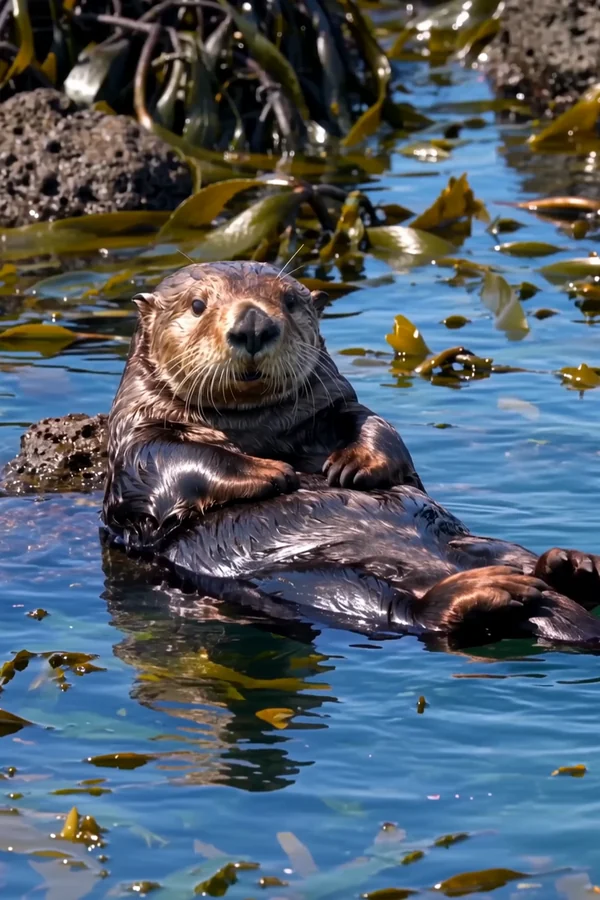

30-second long take
Write the scene in the order it happens, and Wan 3.0 films it as one continuous shot. From a prompt alone, it made this 30-second clip of a sea otter at the edge of a kelp forest: it floats on its back, rolls over and ducks under, comes back up holding a clam, works at it against a stone resting on its belly, then lets the shell go and settles back to float. The whole clip plays here sped up. The camera never cuts away, and it is the same otter in the same bay from the first frame to the last.
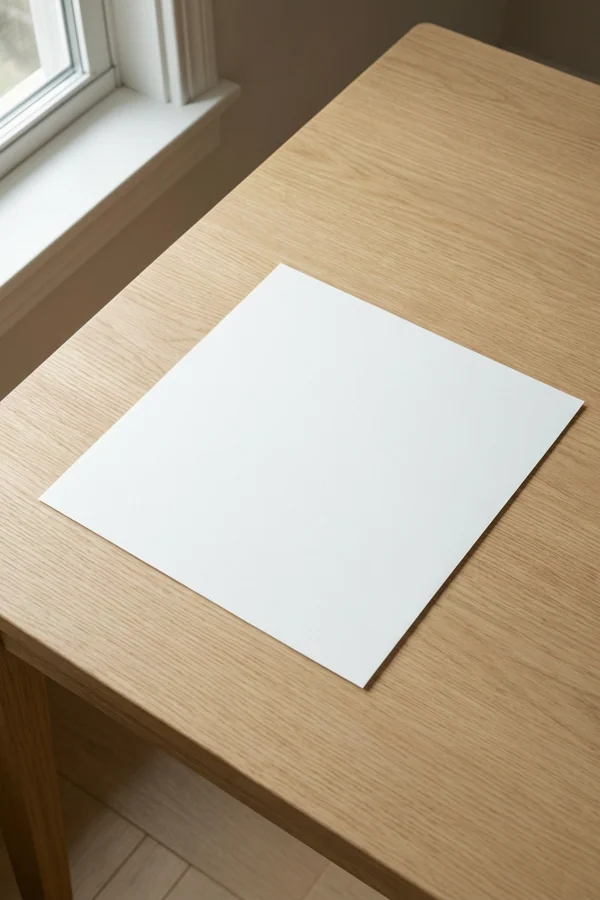
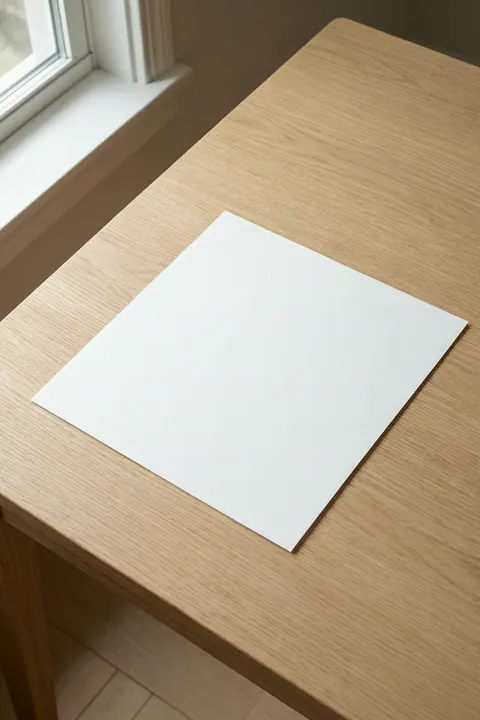
First and last frames
Wan 2.7 Image Pro painted both ends of this clip: a square of white paper on an oak table by a window, then the same picture edited so the paper stands folded into a crane, with the table, light and angle unchanged. Wan 3.0 took the two as its first and last frames and filled in the folding between them, crease by crease. The whole 5-second clip plays here sped up.
Only have one photo you want to bring to life? Start with image to video.
Got a scene that needs more than a few seconds?
How Wan grew
February 2025
Wan 2.1
Alibaba released its text to video and image to video models with open weights, including a small version that runs on a home graphics card.
July 2025
Wan 2.2
A mixture-of-experts design trained on footage labeled for lighting, composition and color, which gave more cinematic control. This one was open too.
September 2025
Wan 2.2 Animate
A character model that drives a still image with the motion from a reference video, or swaps the person in a video for the one in a photo.
September 2025
Wan 2.5
Sound arrived: voices, music and effects generated with the picture, in clips of up to 10 seconds.
December 2025
Wan 2.6
Multi-shot storytelling and a reference mode that keeps a person's look and voice from a short video, with clips of up to 15 seconds.
April 2026
Wan 2.7
A video suite covering text, images, references and editing, released with the Image and Image Pro picture models. Pro goes up to 4K and can blend several photos into one.
August 2026
Wan 3.0
The longest clip doubled to 30 seconds in a single shot. This is the video model on Plimo.
How to use Wan on Plimo
Write the prompt
Before you create a Wan video, work out the beats: how it opens, what changes and how it ends. Write them in the order they happen and say where the camera sits. The prompt has room for a whole scene.
Choose an input type
Words alone are enough. To fix how the shot opens and closes, upload a first and a last frame. To bring in a certain person, product or place, add a few photos or short clips of them as references instead. No opening picture yet? Make one with Wan 2.7 Image Pro first.
Set the parameters
A social post may only need a few seconds, while a story with a setup and an ending can use all 30. Switch the sound off if you'll add your own music.
Generate and download
Watch the take and download it. If the pacing is off, change a beat in the prompt and run it again.
Why use Wan on Plimo
Low barrier to entry
Running the open Wan 2.2 at home takes a graphics card with 24 GB of memory for 720p while Wan 3.0 here runs in a browser.Multi-model comparison
The same scene can go to Kling 4.0 or Seedance 2.5 for another 30-second take on the same credits.Cost-effective long takes
Among the models here that reach 30 seconds Wan 3.0 uses the fewest credits per second.Optional audio
Turn the sound off for a silent clip at the same price when you plan to add your own music.
Wan and other video models
Kling
Kling 4.0 also handles single 30-second takes and can rework footage you filmed with a new scene, weather or style.
Veo
Veo 3.1 Fast clips are always 8 seconds, go up to 4K and include sound.
Seedance
Seedance 2.5 also reaches 30 seconds, and its sound can be switched off too.
Hailuo AI
Hailuo AI's MiniMax H3 Max and MiniMax H3 put sound in every clip, and MiniMax H3 goes up to 2K.
Grok Imagine
Grok Imagine 1.5 runs on a new account's free credits and puts sound in every clip.
Vidu
Vidu Q4 Preview goes to 4K and accepts 15 reference photos for one clip.
FLUX
FLUX 3 Video has a low-credit draft mode, handy for testing an idea before rendering it in full.
SkyReels
SkyReels V4 has Std and Fast versions, each with sound, and Fast is the cheaper of the two in credits.
HappyHorse
HappyHorse 1.1, Alibaba's other video model, takes up to nine reference photos at no extra credits and puts sound in every clip.