Qwen Image 3.0: Dense Text Rendering and In-Image Text Editing
What is Qwen Image?
Alibaba's Qwen Image 3.0 on Plimo: pictures that carry real words, from one headline to a whole page of small print.
This is the line of image models from Alibaba's Qwen team, known above all for the words inside its pictures: headlines, labels and whole pages of text. Its earlier models have come out with open weights since August 2025, and from version 2.0 on, making a new picture and editing a photo are the same model.
On Plimo you get the 3.0 models. Qwen Image 3.0 Pro is built for dense text and layout, such as infographics, study sheets and posters. The standard 3.0 costs fewer credits and suits everyday pictures and quick edits. Both can start from your own photos and change what's in them, the wording included.
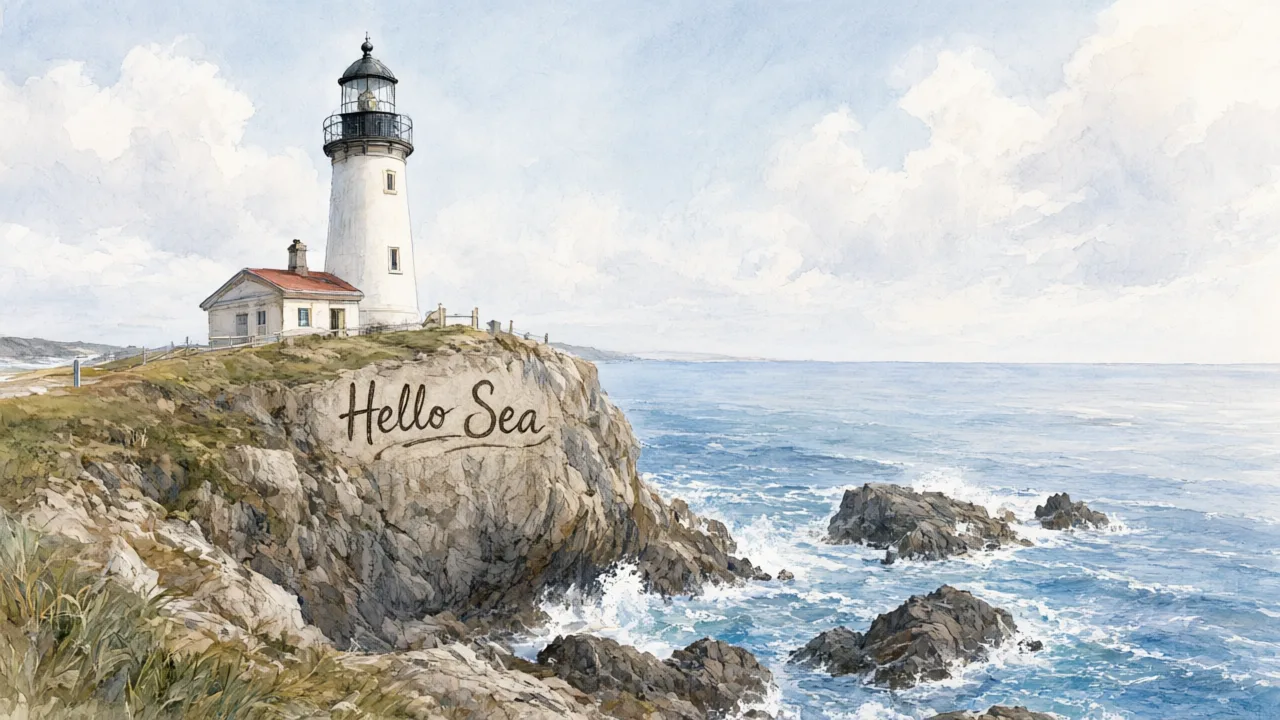
Qwen Image 3.0 Pro
Built for dense text and layout, such as infographics and study sheets.
- 1K / 2K
- Up to 3 reference photos

Qwen Image 3.0
The standard version of the third generation.
- 1K / 2K
- Up to 3 reference photos
What Qwen can do
Dense text and layout
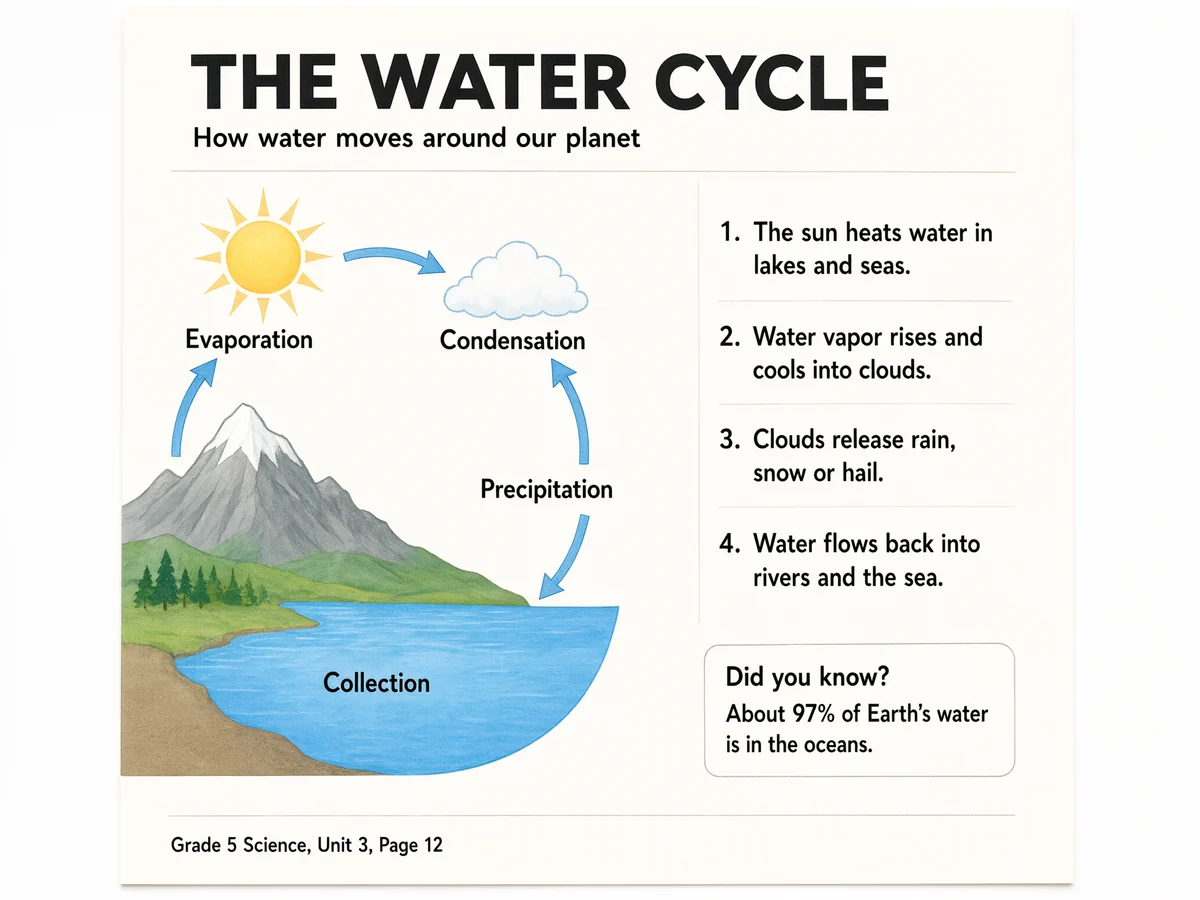
3.0 Pro laid out this whole study sheet from one prompt at 2K. It carries the title “THE WATER CYCLE”, a subtitle, a diagram labeled Evaporation, Condensation, Precipitation and Collection, four numbered lines on how water moves, a “Did you know?” box and a line of small print along the bottom, every word spelled the way the prompt had it. Menus, quizzes and one-page handouts are made the same way.
Text editing in photos
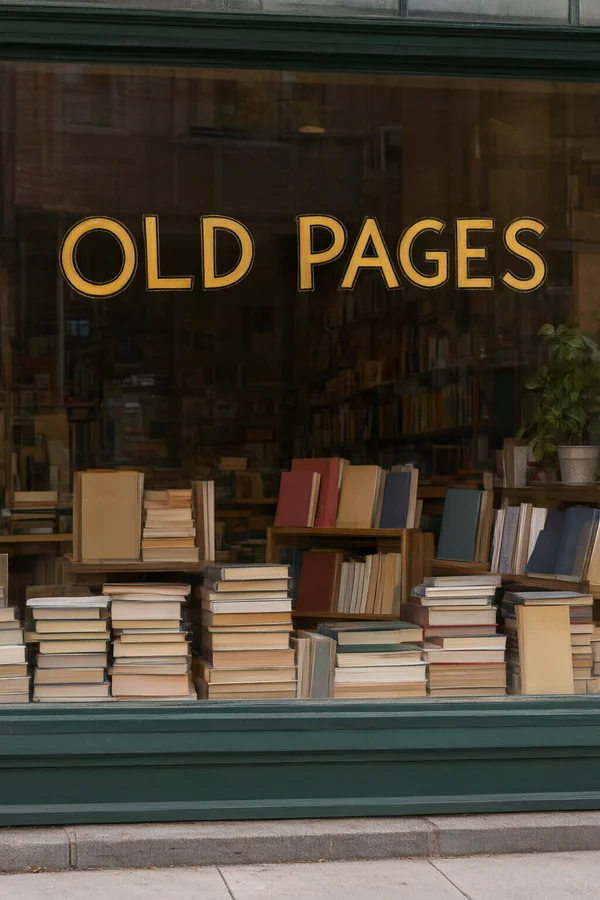
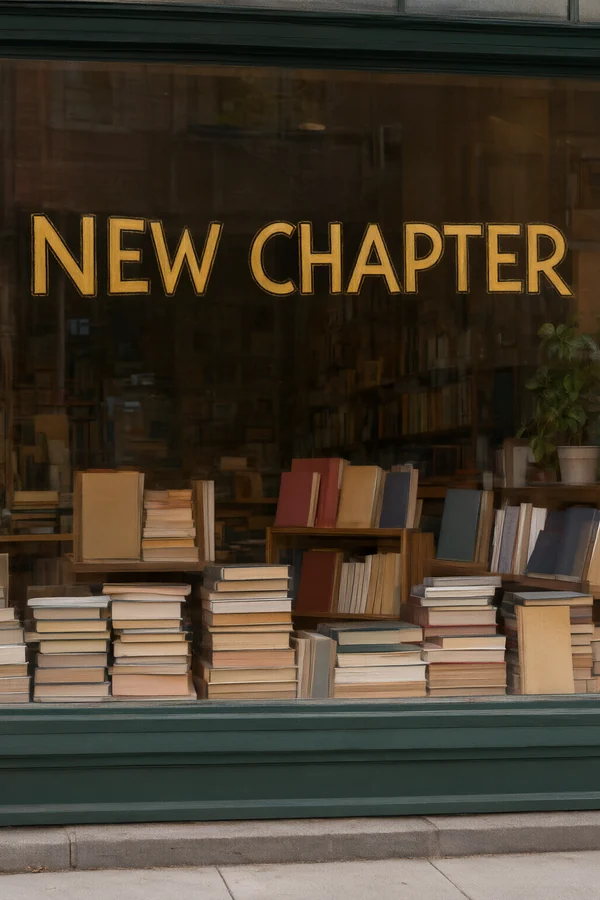
Upload a photo with words in it and write the new wording. This bookshop window said “OLD PAGES”, and Qwen 3.0 swapped the whole line for “NEW CHAPTER” in the same hand-painted gold letters with their dark outline, at the same height on the glass. The books, the plant and the green window frame stayed as they were.
To fix a single wrong letter, or for other changes such as a new background, see the AI photo editor.
Have a page of text in mind, or a photo with words to change? Put the words in quotes and try it.
A short history of Qwen's image models
August 2025
The first release
A 20B open model built for complex text rendering, Chinese in particular.
August 2025
Qwen Image Edit
The editing version could add, remove or change Chinese and English words in a photo while keeping the original font, size and style.
September 2025
Qwen Image Edit 2509
This update took several photos at once, such as a person and a product, and kept them more consistent.
December 2025
Qwen Image Edit 2511, Qwen Image 2512 and Layered
Edit 2511 reduced image drift and held characters more consistently. 2512 drew more realistic people, finer natural textures and better text. Layered splits a picture into transparent layers.
February 2026
Version 2.0
Generating and editing merged into one smaller model with native 2K output.
July 2026
Version 3.0
Built for dense layouts such as newspapers, menus and exam papers in a single pass, with text in twelve languages and type as small as ten pixels.
September 2026
Qwen Image 2.1
A smaller 7B open model that outputs transparent pictures directly and takes up to ten reference images, released under a research license for non-commercial use.
How to use Qwen on Plimo
Write the prompt
Put every word you want in the picture inside quotes and say where it goes: the title across the top, the date in the bottom corner.
Upload photos
To change a photo, add it and say what changes and what stays, like a new name on a shop sign in the same lettering.
Choose a version
3.0 Pro for posters, infographics and pages full of text. 3.0 for everyday pictures and simple edits, at a lower price.
Generate and proofread
Zoom in and read every line before you share it. If one word slipped, fix only that part of the prompt and generate again.
Why use Qwen on Plimo
Low barrier to entry
Running Qwen's open Edit 2511 release yourself means wiring a 20B model and a separate 7B text encoder into a ComfyUI graph while here it's a prompt in the browser.Generation and editing in one
Add a photo when you want an edit and leave it out when you don't without loading another model.2K at no extra cost
Both versions charge the same credits at 2K as at 1K so small print can go out at the larger size.Multi-model comparison
When a word comes out wrong run the same prompt on GPT Image 2.5 or Seedream 5.5 and keep the better picture.
How Qwen compares with other image models
Nano Banana
Nano Banana from Google can merge as many as six reference photos into one image, reaches 4K, and runs at 1K on free credits.
GPT Image
GPT Image 2.5 from OpenAI handles transparent backgrounds and accepts up to 16 reference images in one request.
MiniMax Image
Comes in 2K and 4K only, takes up to ten reference images, and the free credits a new account gets cover both sizes.
Grok Imagine
Grok Imagine from xAI also makes video, so a picture from it can carry on into a short clip with sound.
Wan
Wan, also from Alibaba, reaches 4K from text alone, and the same family carries a picture on into a clip.
FLUX
FLUX 3 Image from Black Forest Labs accepts as many as ten reference images, and its family covers video as well.
Seedream
Seedream 5.5 from ByteDance keeps one picture consistent through many rounds of editing, at any size on free credits.