FLUX AI Image Generator: Prompt Adherence, Image Editing and Video with FLUX 3
What is FLUX?
Black Forest Labs' FLUX 3 on Plimo: pictures from a detailed prompt or your own photos, and clips with sound.
FLUX comes from Black Forest Labs, a lab in Freiburg, Germany, started in 2024 by the researchers behind Latent Diffusion and Stable Diffusion. Its models are built around prompt adherence: name the subject, the materials, the light and the lens in a long, specific prompt, and each of those things is meant to end up in the picture.
FLUX 3 is the current generation, and on Plimo you can use FLUX 3 Image and FLUX 3 Video. FLUX 3 Image makes pictures from a prompt, or reworks your own photos when you add them as references. FLUX 3 Video makes clips of 5 to 20 seconds with sound, from a prompt alone or from a still you pick as the first frame.

FLUX 3 Image
Text-to-image, and image-to-image from your own photos.
- 1K / 2K
- Up to 10 reference photos
FLUX 3 Video
Video with native audio, plus a draft mode for low-cost previews.
- 5–20 s
- Draft / 720P / 1080P
- Sound on or off
What you can make with FLUX 3

Prompt adherence
This picture came from one prompt that described a watchmaker's bench piece by piece: an open watch movement with brass gears and red jewels, a brass loupe, steel tweezers, a wooden stand of small screwdrivers, loose gears on a green leather mat, morning light from a window on the left with dust in the beam, and a macro lens with shallow focus. Every item on that list is in the frame, lit the way the prompt asked. Made with FLUX 3 Image at 2K.
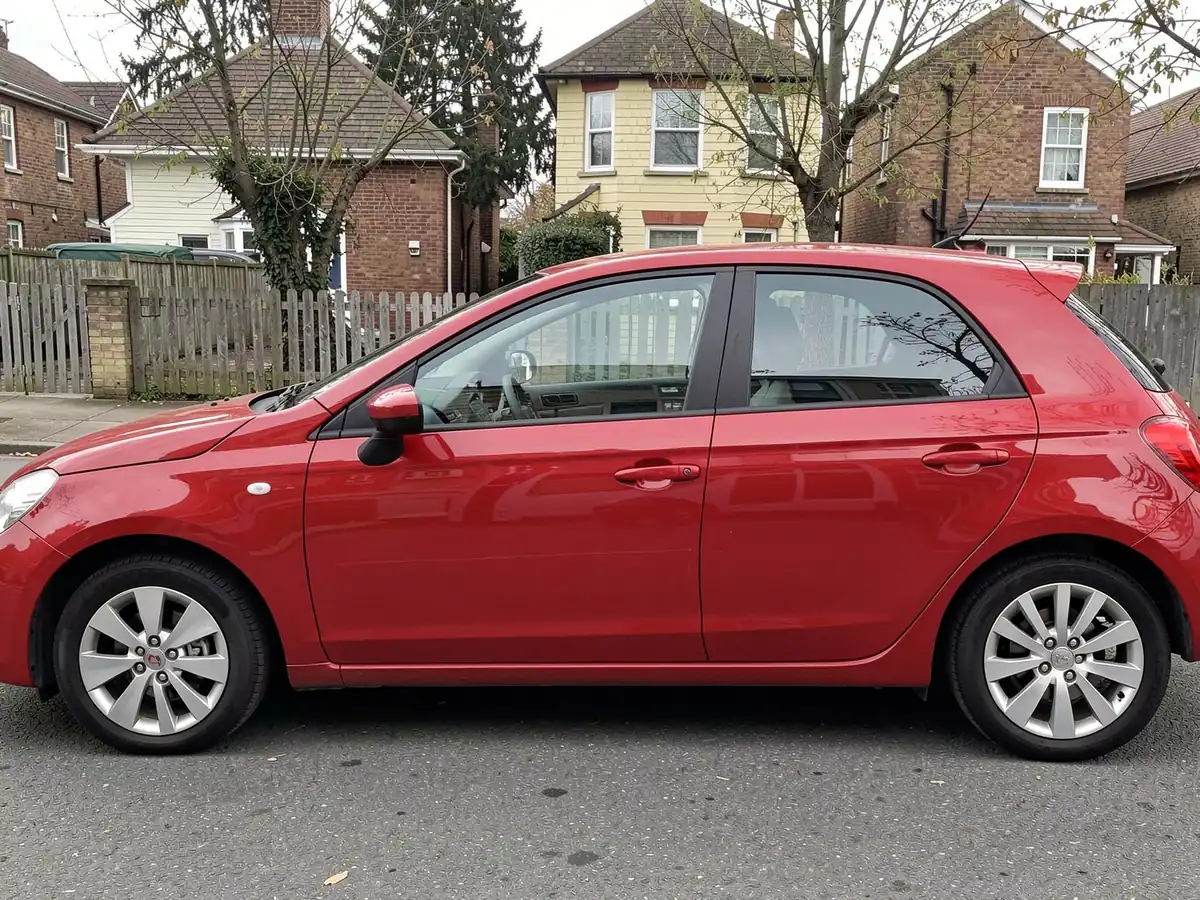
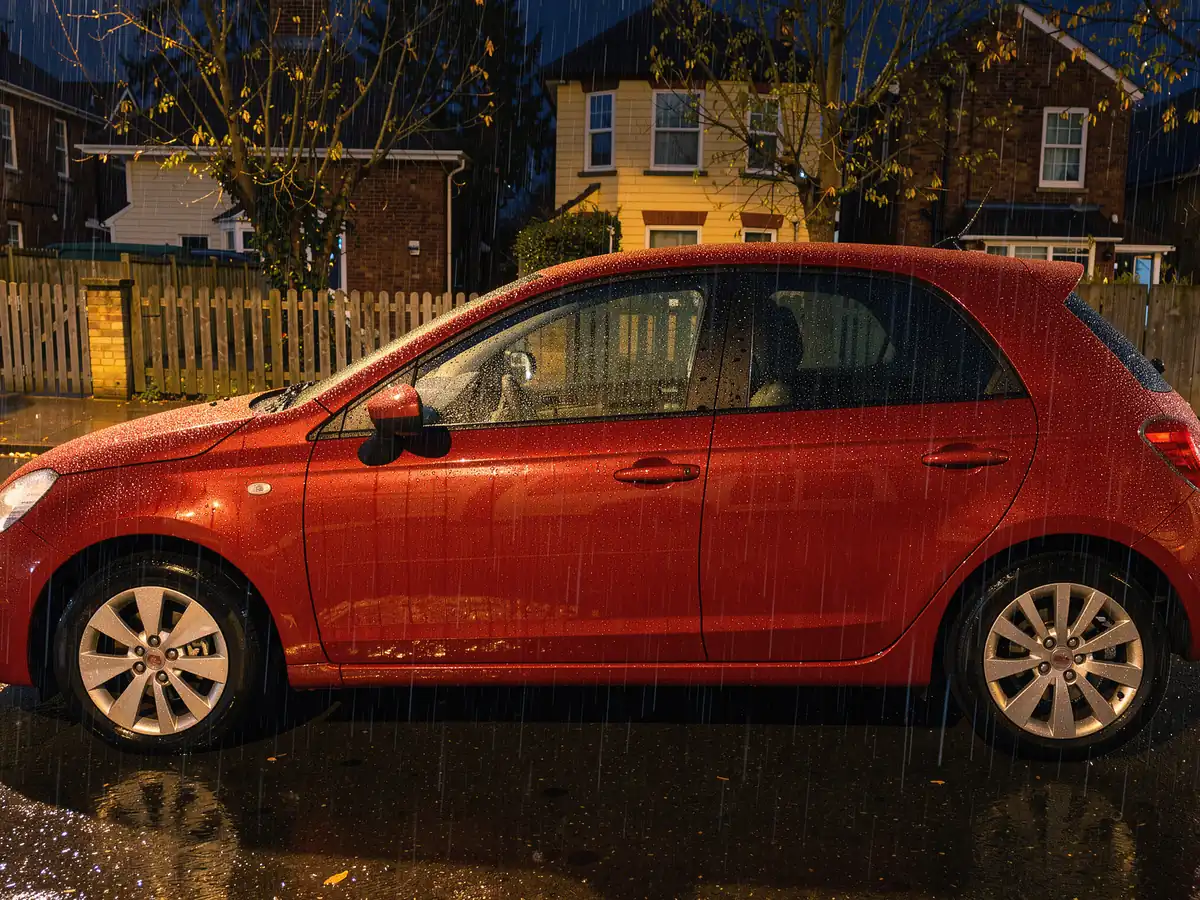
Image editing
A daytime photo of a red hatchback parked on a residential street went in with one instruction: turn it into a rainy night, with the street lights on and the road wet. The car, the brick houses, the fence, the trees and the framing line up with the original photo, while the sky, the light, the rain and the reflections on the road are new. It's the kind of edit FLUX Kontext was built for, done here by FLUX 3 Image.
First-frame image to video
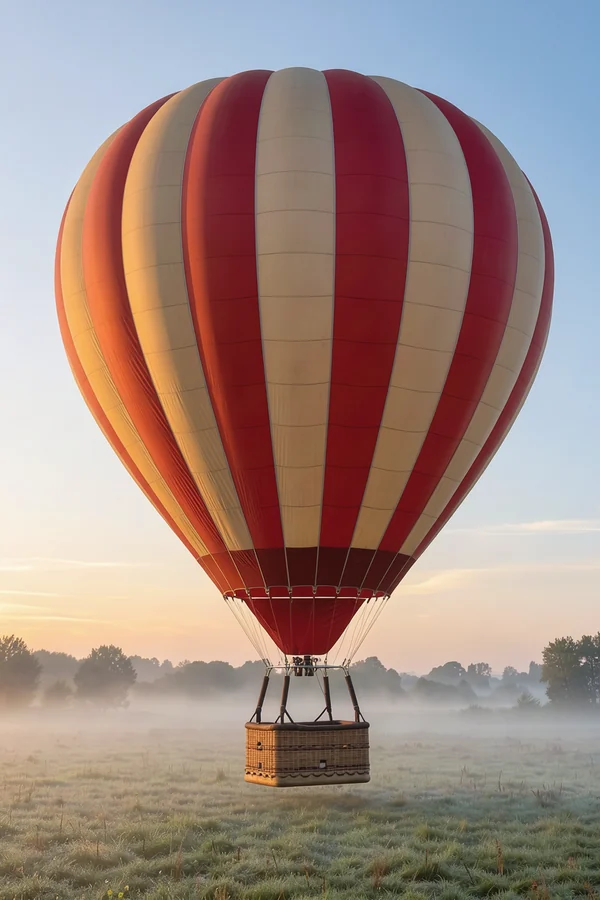
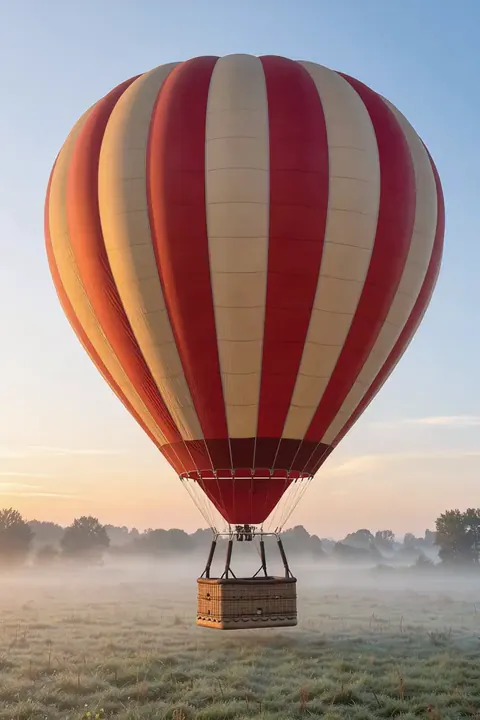
Make a still with FLUX 3 Image, then use it as the first frame in the FLUX AI video generator, and FLUX 3 Video starts from exactly that picture. Here a striped hot air balloon over a misty meadow became a 720p clip: the burner flickers, the fog drifts across the grass and the balloon floats on as the camera eases back, with the same stripes and the same sunrise light all the way through.
To set a photo of your own in motion on other video models, open Image to Video.
Have a detailed prompt or a photo ready?
A short history of FLUX
August 2024
FLUX.1
The first release from Black Forest Labs came in pro, dev and schnell versions, built for prompt adherence and typography you could actually read.
May 2025
FLUX.1 Kontext
FLUX Kontext, sold as FLUX Kontext Pro and Max, took an image as well as text. It could change one part of a picture without touching the rest, or keep a character recognizable in a brand-new scene.
November 2025
FLUX.2
The second generation arrived as FLUX 2 Pro, Flex and FLUX 2 Dev, with FLUX 2 Max added later. It could work from up to 10 reference images at once, edit at up to 4 megapixels and draw small, legible text.
July 2026
FLUX 3
The first FLUX trained on images, video and audio together. It took the family into video, with clips of up to 20 seconds that carry their own sound, next to an image model that renders text in multiple languages.
How to use FLUX on Plimo
Choose image or video
Pick FLUX 3 Image for a still, or FLUX 3 Video for a clip.
Write the prompt
FLUX AI image generation rewards detail, so name the subject, the material, the light and the lens: “an open watch movement on green leather, morning light from the left, macro lens, shallow focus.” To work from a product or a photo of your own, upload it too.
Set the parameters
For a clip, choose anywhere from 5 to 20 seconds and say what should move and what we should hear. Try the idea as a draft first, then render the one you like at 720p or 1080p.
Generate and download
Download what you like, or change one detail in the prompt and run it again.
Why use FLUX on Plimo
Low barrier to entry
Running the open FLUX 2 Dev weights takes a 32-billion-parameter model and more memory than most graphics cards have while FLUX 3 here runs in a browser.Draft mode
Draft mode renders a rough cut for fewer credits so you can check the motion before paying for 720p or 1080p.Optional audio
FLUX 3 Video clips can come with sound that you can switch off to add your own.One account for every model
There's no Black Forest Labs account to open and the same Plimo account runs the other image and video models.
FLUX compared with other image models
Nano Banana
Nano Banana from Google goes up to 4K and takes up to six reference images, and new accounts can use their free credits on it at 1K.
GPT Image
With GPT Image 2.5 from OpenAI you can get a transparent background and attach as many as 16 reference images.
MiniMax Image
Only offers 2K and 4K, and both sizes run on the free credits of a new account.
Grok Imagine
Grok Imagine from xAI covers video too, so a still you make there can become a clip with sound without leaving the series.
Wan
Wan from Alibaba reaches 4K from a prompt alone, and its Wan 3.0 video model makes clips of up to 30 seconds.
Seedream
Seedream 5.5 from ByteDance holds the person and setting steady across round after round of edits to one picture, and can give you a transparent background.
Qwen Image
Qwen Image 3.0 from Alibaba charges one price whether you pick 1K or 2K.