ChatGPT Image Generator: Make ChatGPT Images and Edits with GPT Image 2.5 and 2.6
What are GPT Image 2.6 and 2.5?
OpenAI's official GPT Image 2.6 and GPT Image 2.5: accurate text rendering, precise edits on 2.6 and transparent backgrounds.
GPT Image is OpenAI's family of image models, the same family that draws ChatGPT pictures. It is known for text rendering: a poster headline, a jar label or a café menu comes back spelled the way you wrote it. It can also edit a photo you upload, or cut the subject out onto a transparent background.
GPT Image 2.6 came out on November 4, 2026 and GPT Image 2.5 in September 2026, each in two versions: Flare for everyday pictures and Sunburst, which takes longer for finer detail. 2.6 can also draw short animated loops, and on Plimo those are made in the AI GIF Generator.
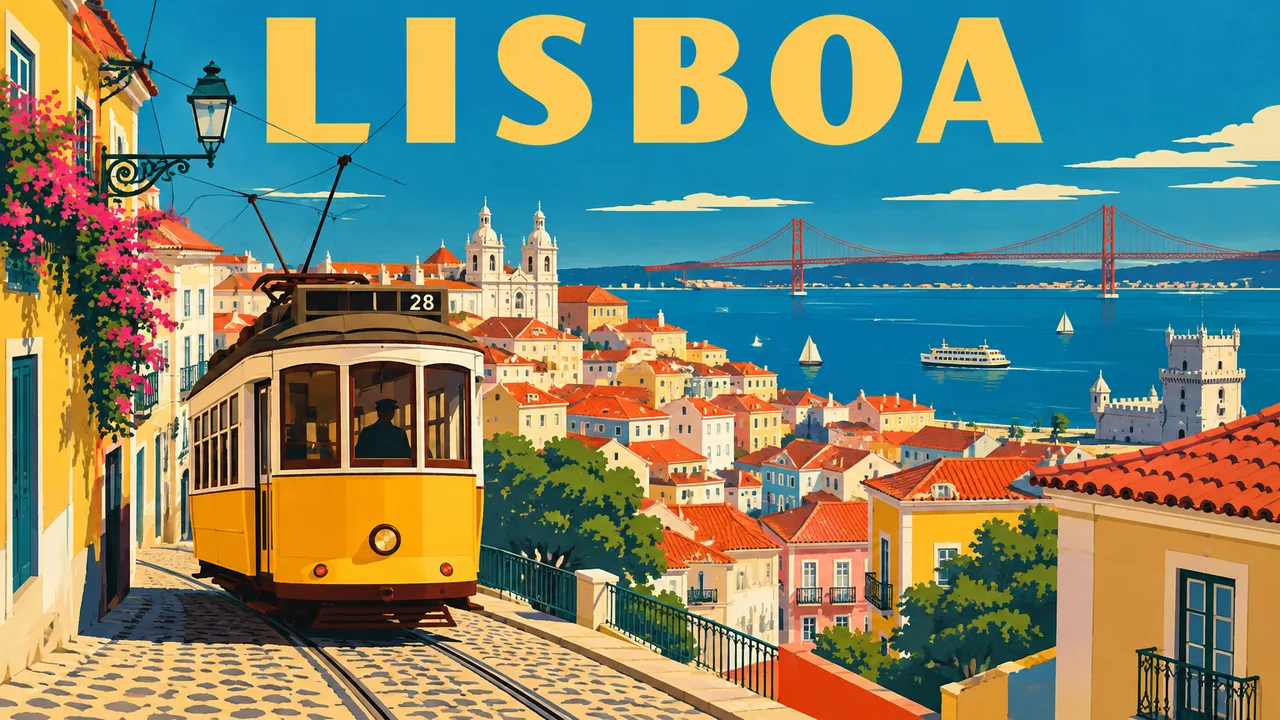
GPT Image 2.5
The previous version, with accurate text rendering for posters and labels.
- 1K / 2K / 4K
- Up to 16 reference photos
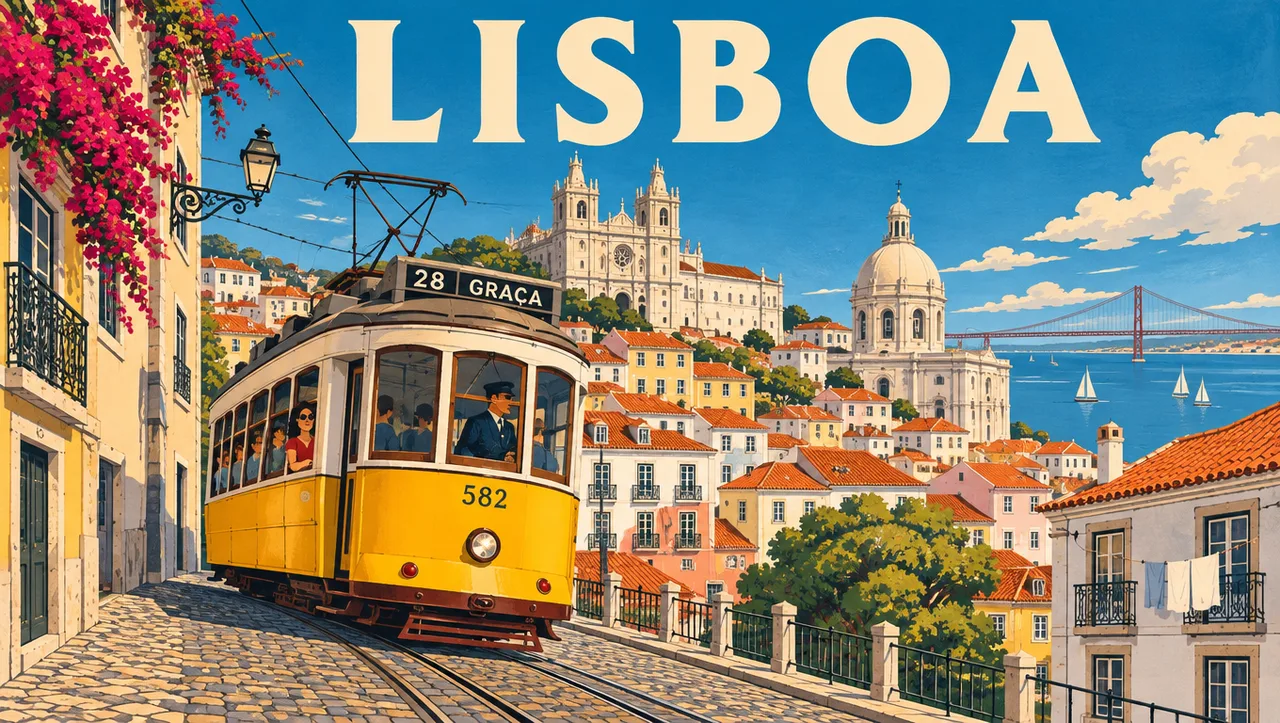
GPT Image 2.6
The newest version, with precise local edits from a prompt.
- 1K / 2K / 4K
- Up to 16 reference photos
What GPT Image can do
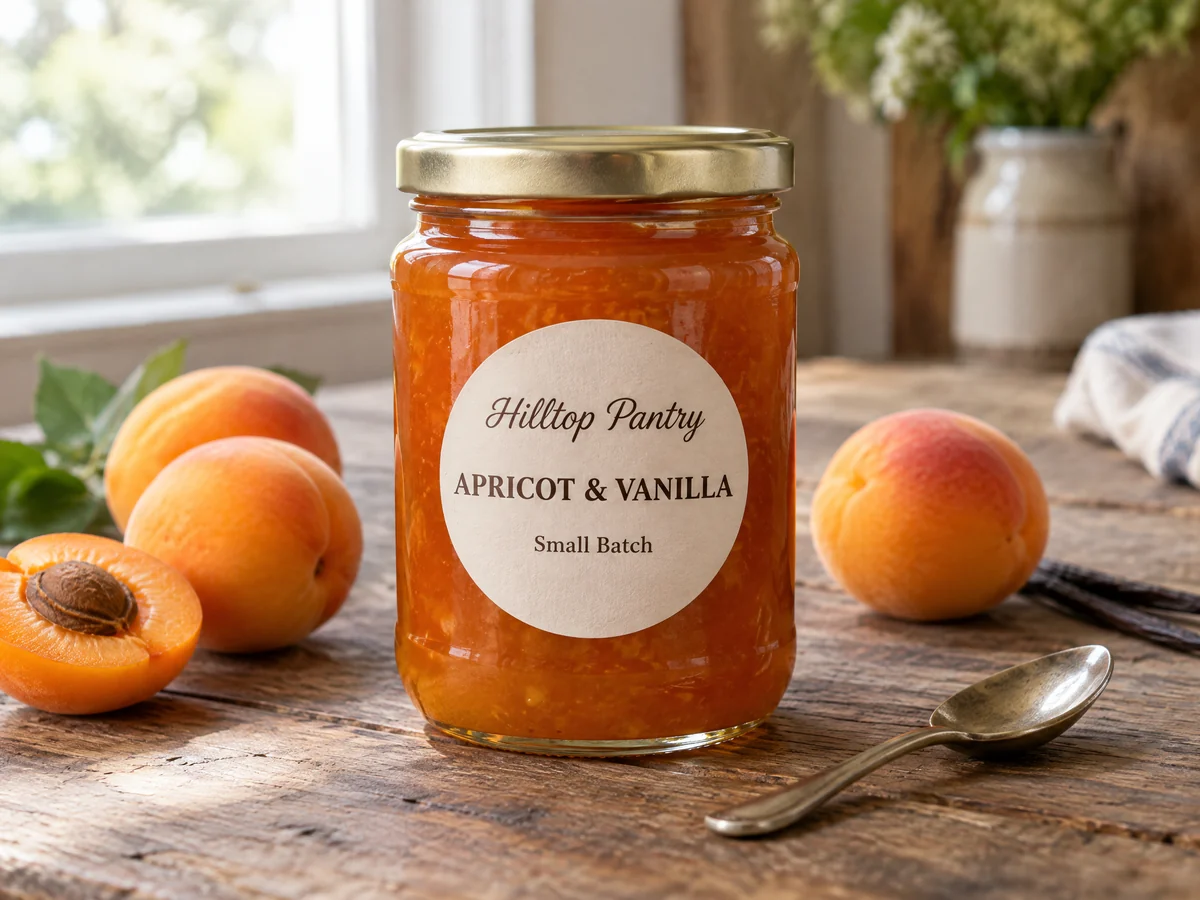
Accurate text rendering
Put the words in quotes and they come back as written. This jar of apricot jam came from text alone on GPT Image 2.5 at Medium quality. The round label carries three lines in three lettering styles, “Hilltop Pantry”, “APRICOT & VANILLA” and “Small Batch”, spelled exactly as in the prompt. Posters, café menus and comic speech bubbles work the same way.
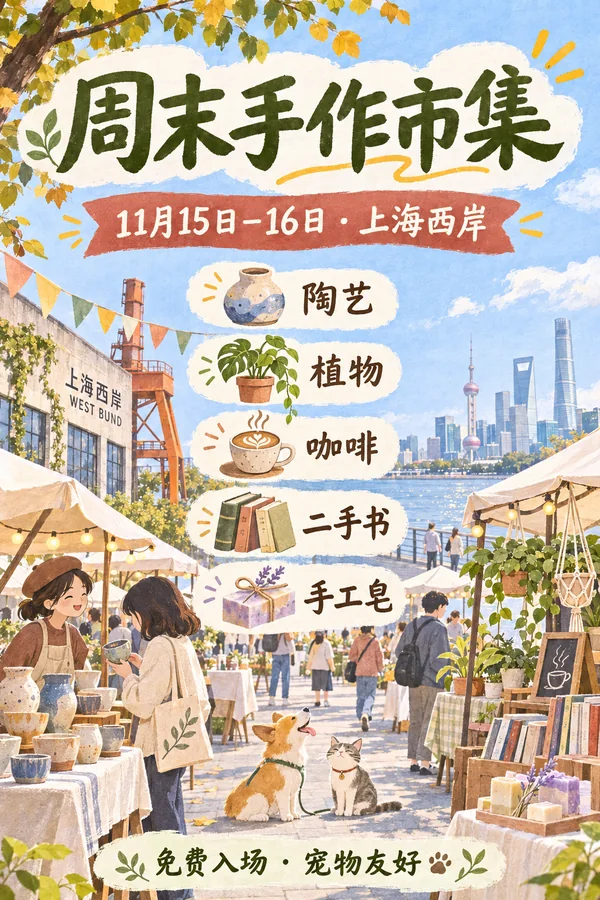
Chinese and Arabic text
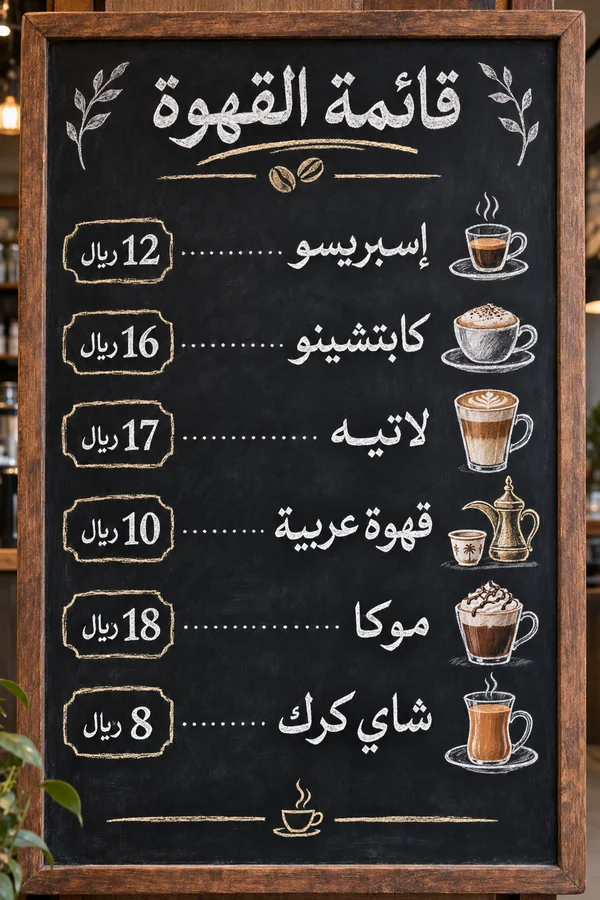
GPT Image 2.6 handles scripts other than English too. Asked for a Chinese poster for a weekend craft market, it wrote the title 周末手作市集, the dates and venue, five stall categories and a line of small print at the bottom, every character as requested. The second picture is a café menu on a chalkboard in Arabic, laid out right to left, with six drinks and their prices in riyals. Both were made at Max quality with Sunburst.
Precise local edits
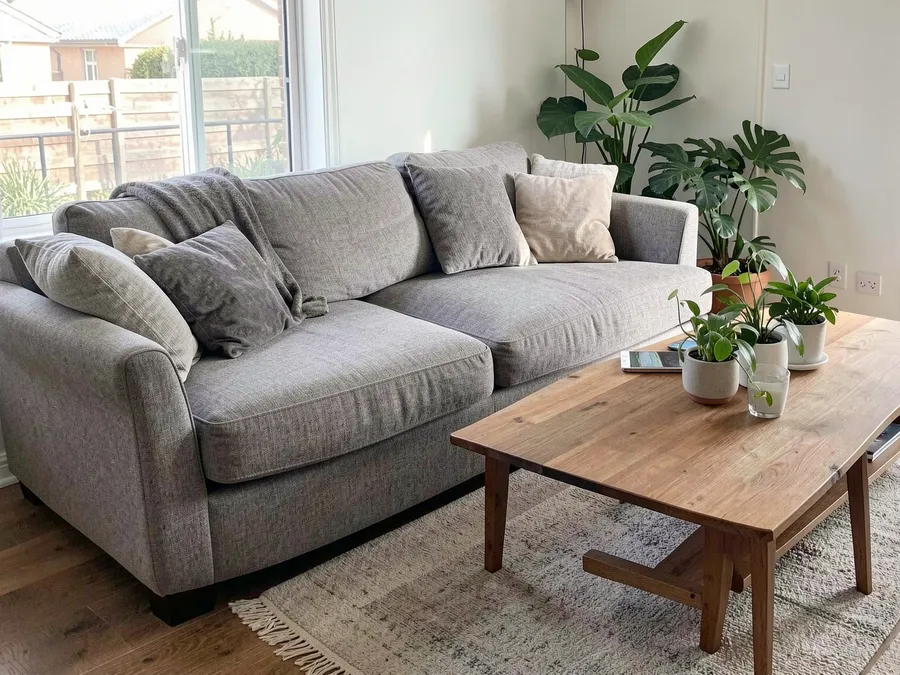
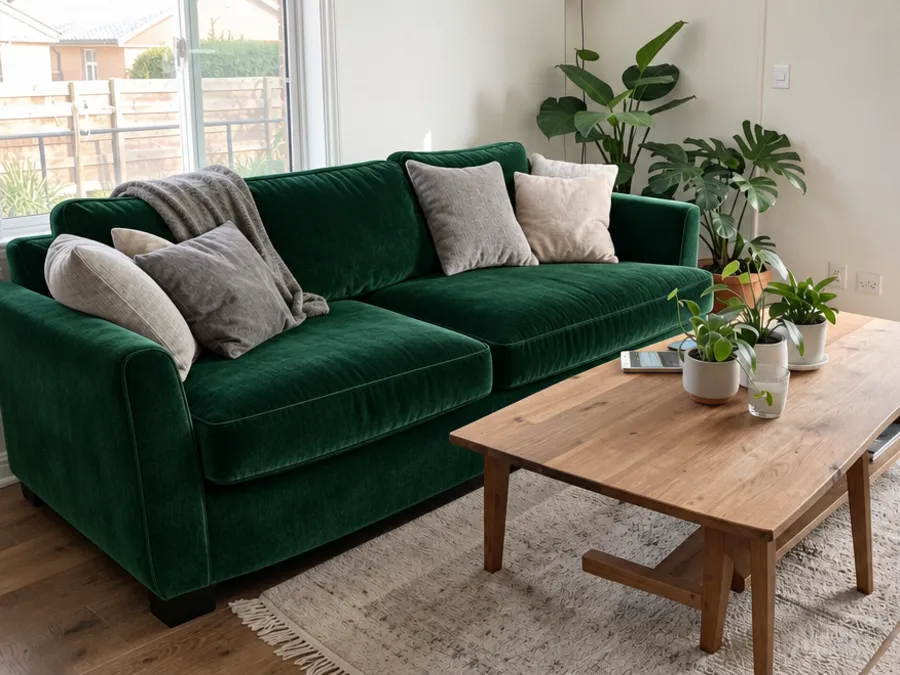
Upload a photo and name the one thing to change. Here GPT Image 2.6 with Sunburst turned a grey sofa into deep green velvet, while the cushions, the throw, the plants, the coffee table, the rug and the garden outside stayed as they were. For a bigger change, like a whole new background, see the AI Photo Editor.
Transparent backgrounds
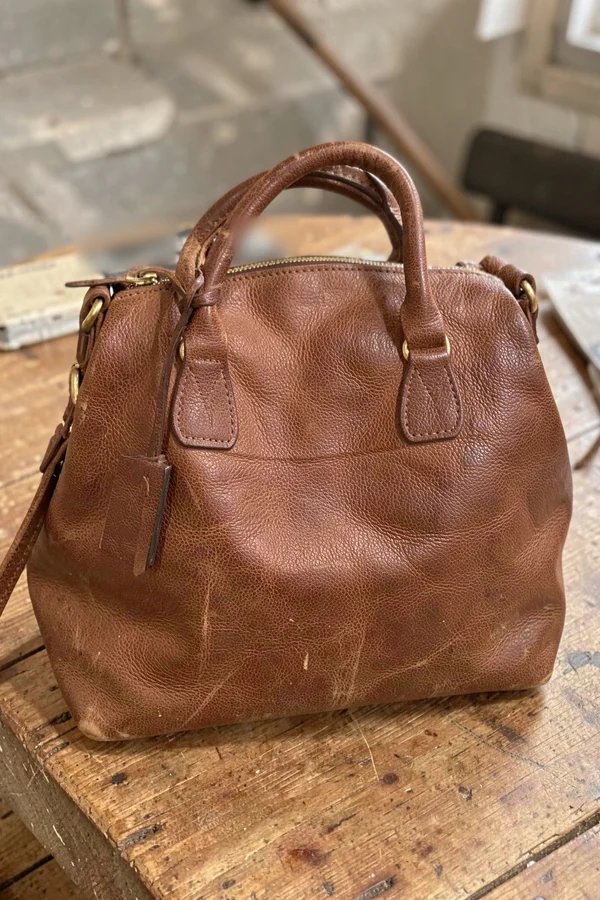
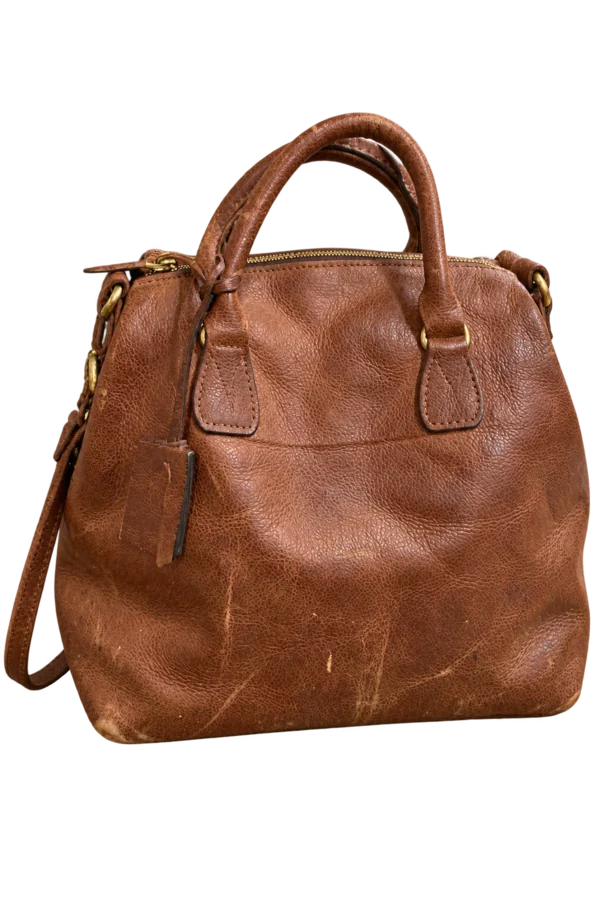
Turn on the transparent background and the subject comes back as a PNG with nothing behind it, ready for a sticker, a product listing or a slide. This photo of a worn leather handbag on a wooden table went to GPT Image 2.5, which kept the bag's shape, scuffs, handles, strap and tag and took away the table and the room around it.
Have a poster or a label in mind? Put the words in quotes and try it.
How to use GPT Image 2.6 and 2.5 on Plimo
Write a prompt
Say what's in the picture, where it is and what the light is like. Any lettering goes in word for word, in quotes: a café sign reading “Open late”, a jam jar labeled “Plum & Ginger”.
Upload photos
Add the photo you want changed, or pictures of a product or an outfit to borrow from, and say exactly which part should change. It's a lot like chatting with ChatGPT with an image attached.
Pick a model and quality
GPT Image 2.6 is the newest, and 2.5 is the lighter pick for drafts. Try the layout at a low quality first, then turn the quality up for the final.
Generate and download
Check the spelling, then download. Close but not quite? Change one detail and run it again. To see the scene move, open image to video, where your picture becomes the opening shot.
Why use GPT Image on Plimo
Free to start, no visible watermark
New accounts get free credits that run GPT Image 2.5, and Plimo adds no visible watermark to any picture.The model behind ChatGPT pictures
The same OpenAI image generator does the drawing, so a prompt that worked in ChatGPT is a good place to start.A ChatGPT image maker with every setting in view
You pick the version, the quality and a transparent background, so a quick draft and a print-ready final come from the same prompt.Another model, same prompt
When GPT Image gets close but not quite, give the same prompt to Qwen Image 3.0 Pro or Nano Banana 2.1 in the same account.
GPT Image next to other image models
Nano Banana
Nano Banana from Google combines up to six reference photos into one picture, goes up to 4K, and free credits run it at 1K.
MiniMax Image
Comes in 2K and 4K only, and the free credits a new account gets cover both sizes.
Grok Imagine
Grok Imagine from xAI is also a video family, so a picture you make there can go on to become a short clip with sound.
Wan
Wan from Alibaba is mostly a video family. Its still-image model, Wan 2.7 Image Pro, reaches 4K when you start from text alone.
FLUX
FLUX 3 Image from Black Forest Labs takes up to ten reference images, and FLUX 3 Video in the same family turns pictures into clips.
Seedream
Seedream 5.5 from ByteDance keeps a picture consistent over many rounds of edits, and free credits run it at any size.
Qwen Image
Qwen Image 3.0 from Alibaba costs the same at 1K as at 2K.
From GPT-4o pictures to GPT Image 2.6
March 2025
GPT-4o image generation
ChatGPT stopped handing picture requests to DALL·E 3 and started drawing them with GPT-4o itself, with accurate text, close prompt following and restyling of uploaded photos.
April 2025
GPT Image 1
The model behind those pictures opened to developers as gpt-image-1, so other apps could build on it. A smaller, lower-cost GPT Image 1 Mini followed that October.
December 2025
GPT Image 1.5
Launched with the new ChatGPT Images. Edits got more precise, changing what was asked while keeping the lighting, composition and faces in place, and pictures came back up to four times faster.
April 2026
GPT Image 2
Arrived as ChatGPT Images 2.0, with a thinking mode that plans the layout before drawing, much better text in languages such as Chinese, Japanese, Korean and Hindi, and more aspect ratios.
September 2026
GPT Image 2.5
Shipped as ChatGPT Images 2.5 on September 8, with more natural lighting, richer textures and faster results. Developers got two versions: Flare for everyday work and Sunburst, slower, for tighter control across edits.
November 2026
GPT Image 2.6
Shipped as ChatGPT Images 2.6 on November 4, generating up to 50% faster. It added markup edits, where notes drawn on an image tell the model what to change, plus animated GIF and SVG output. Flare and Sunburst carry over, and 2.5 stays available.