Image to Image AI: An AI Image Generator from Image or Photo with Strong Consistency
What is image to image AI?
Upload a photo, say what should change, and get a new picture.
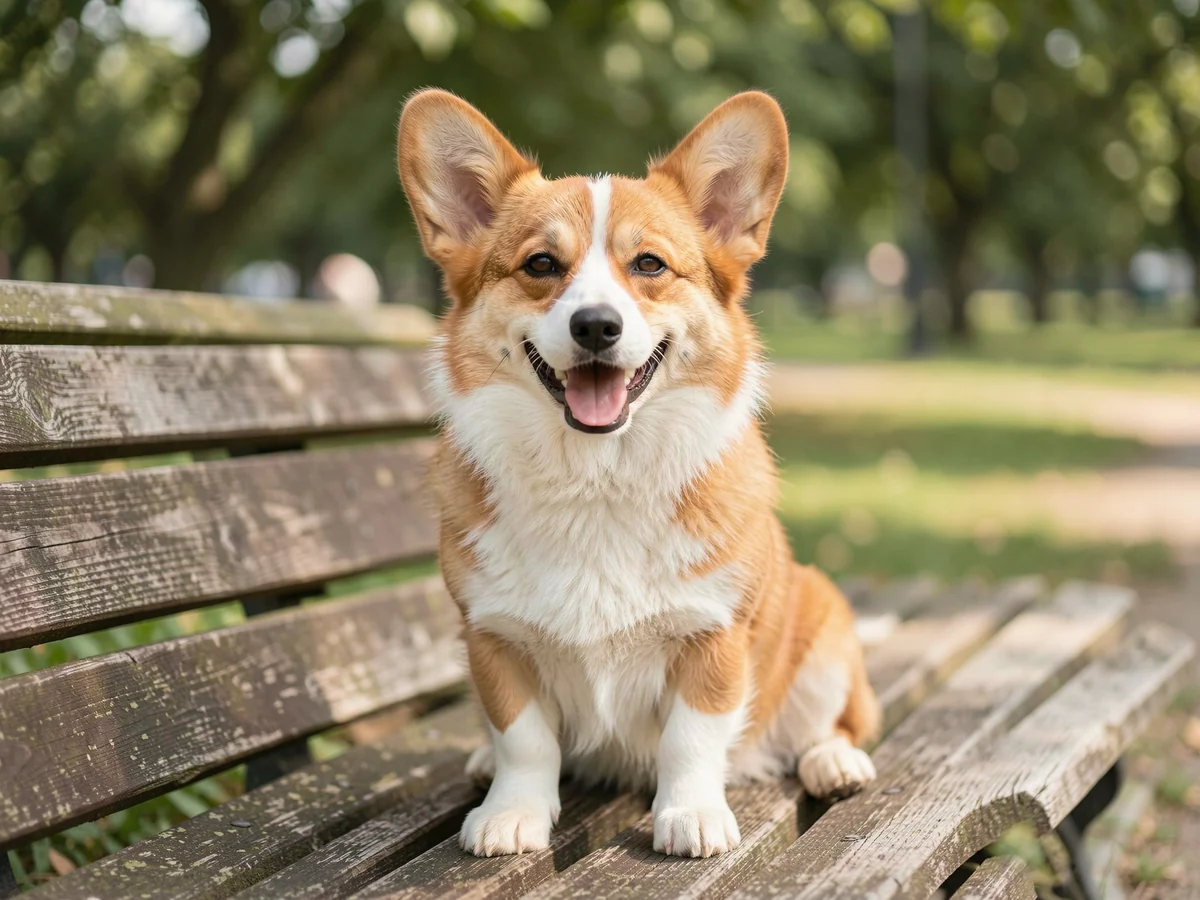
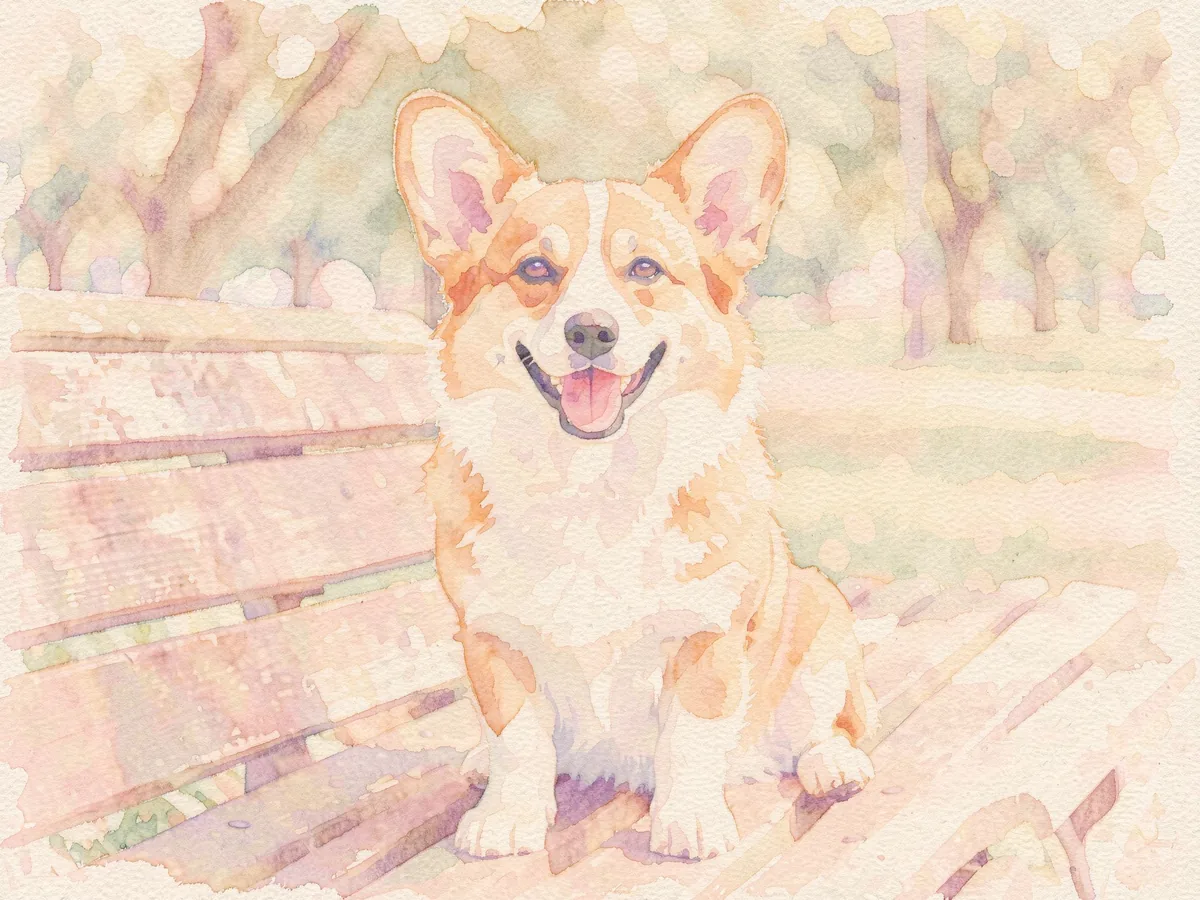
Image to image AI turns a photo you already have into a new picture. Upload an image, tell the AI in one line what should change, and it redraws the whole thing: a new style, a new scene, new light, the same subject. This corgi kept its coat and its pose while the photo became a watercolor. Some people call it img2img, img to img or photo to photo AI. Either way, you create an AI image from a photo instead of from a blank page.
The difference from text to image is where you start. Text to image builds everything from your words; an image to image generator starts from your photo, so the subject is still yours. Plimo is an AI image generator from image with several models on call. Starting from words alone? Use the AI Image Generator. Need one small fix? The AI Photo Editor leaves the rest untouched.
What you can do with image to image AI
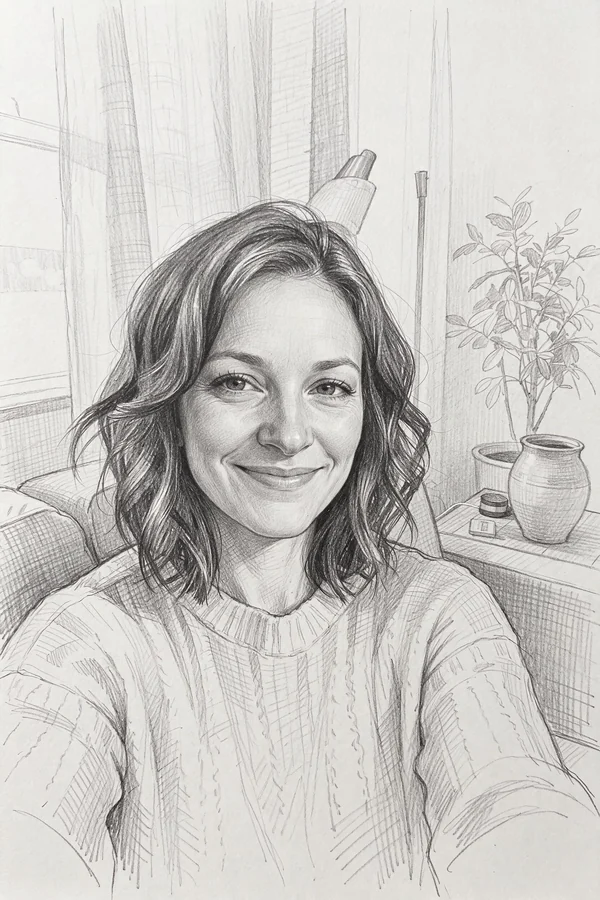
A new style
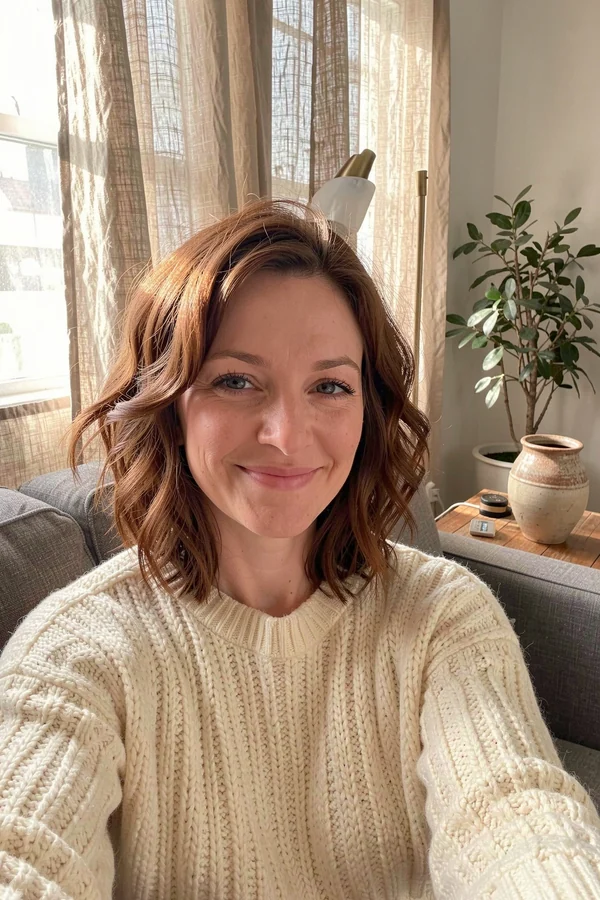
Oil paint, watercolor, pencil or comic, with the face and the expression kept consistent. Here a selfie became a pencil sketch.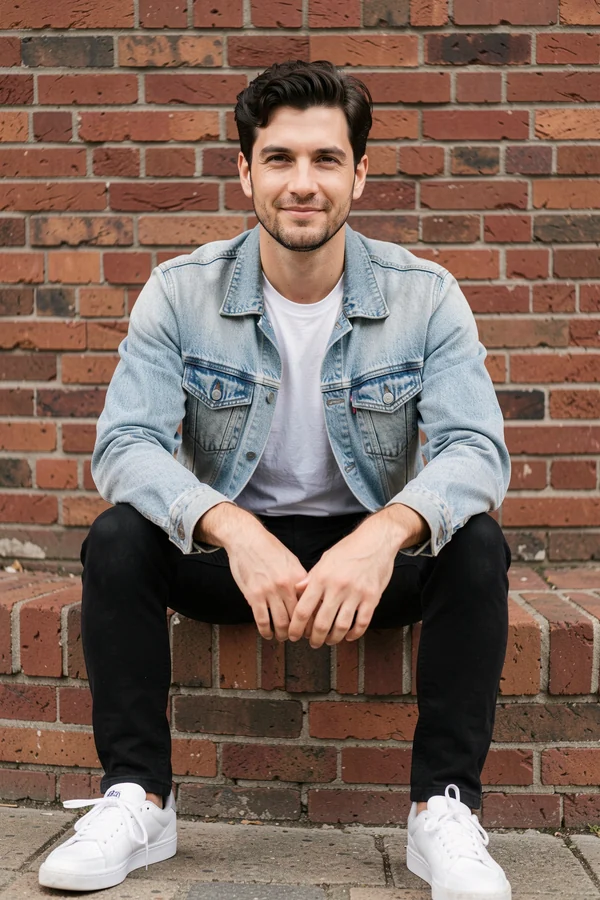
A new scene
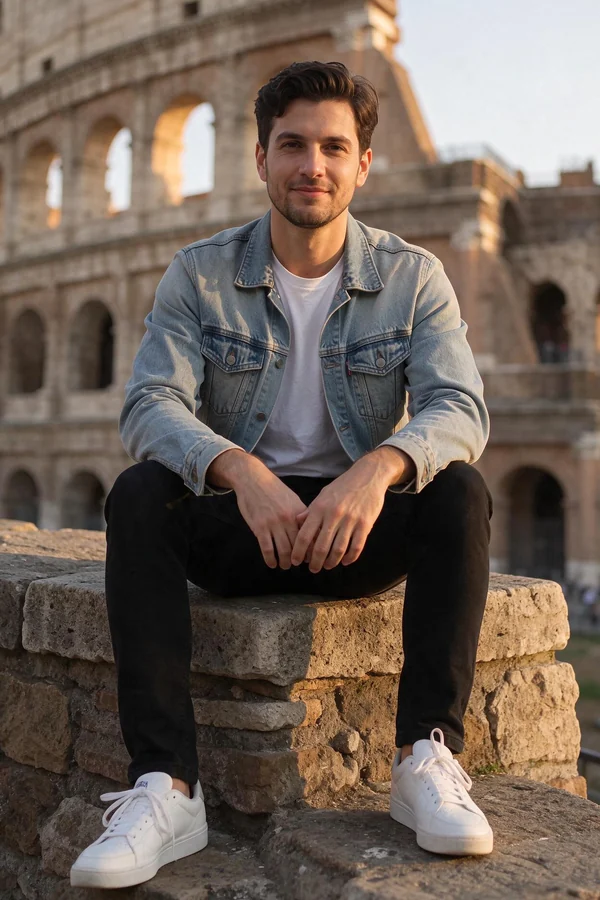
The face stays, and the backdrop and the light change together, so it looks shot on location: from a brick wall to the Colosseum at dusk.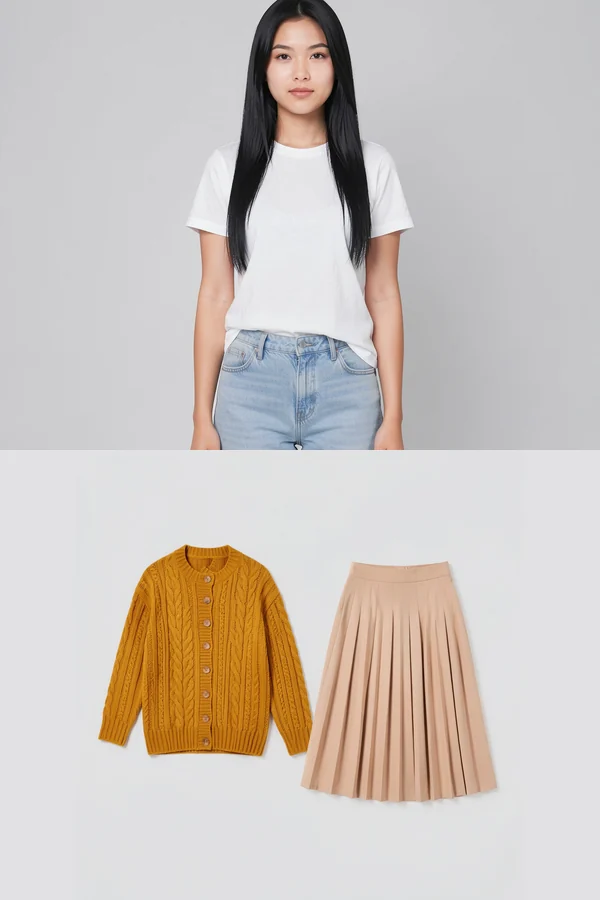
Several photos in one picture
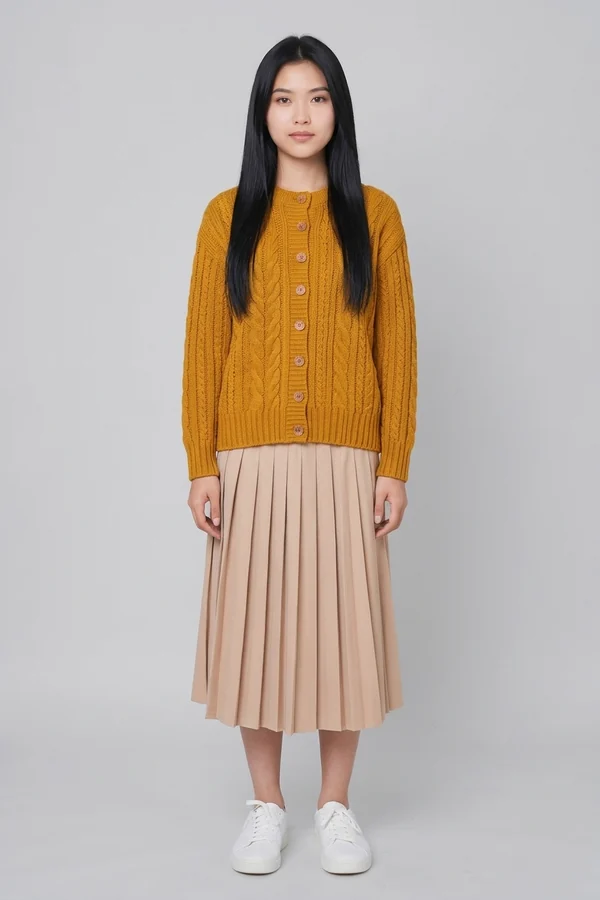
Add a photo of an outfit, a piece of furniture or a pet, and they land in one scene. Here she wears the cardigan and skirt from the flat-lay.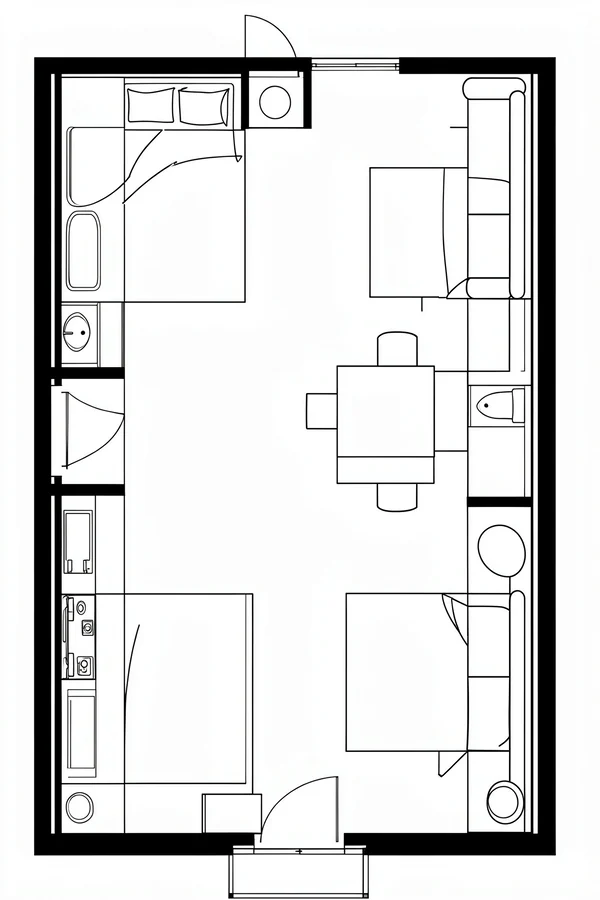
Sketch to render
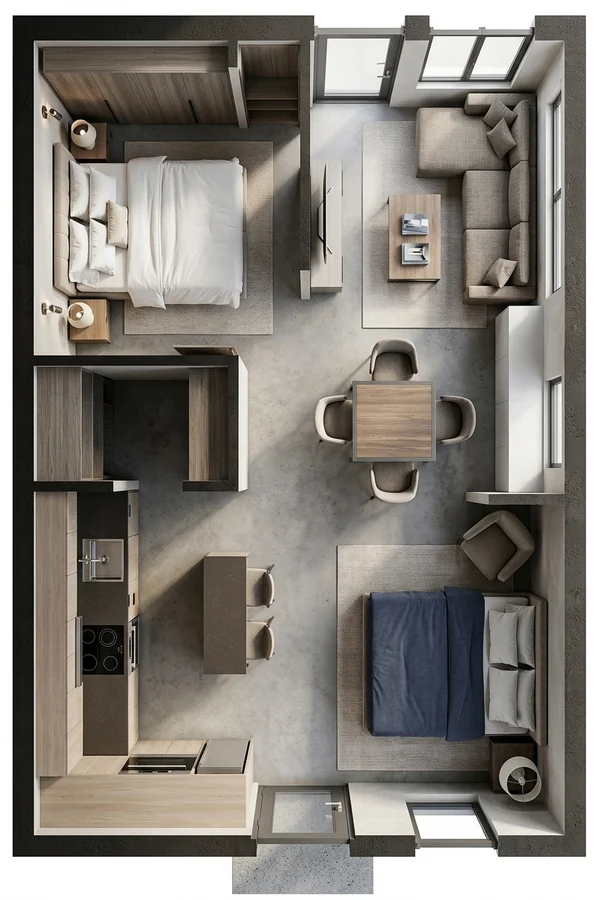
A floor plan, a hand sketch or line art becomes a 3D render with furniture and light.
Have a photo you'd like to see differently?
How to keep your subject consistent
Start with a clear photo
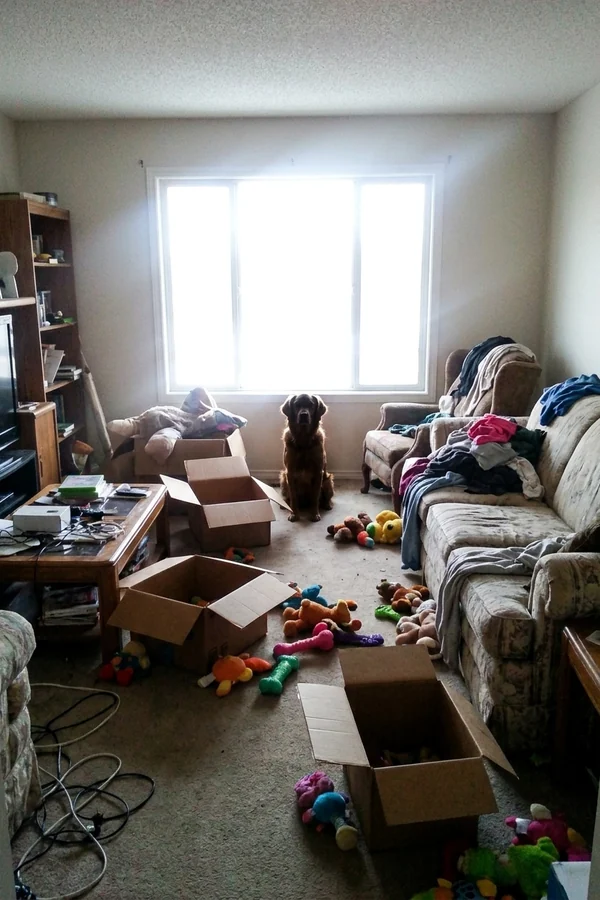
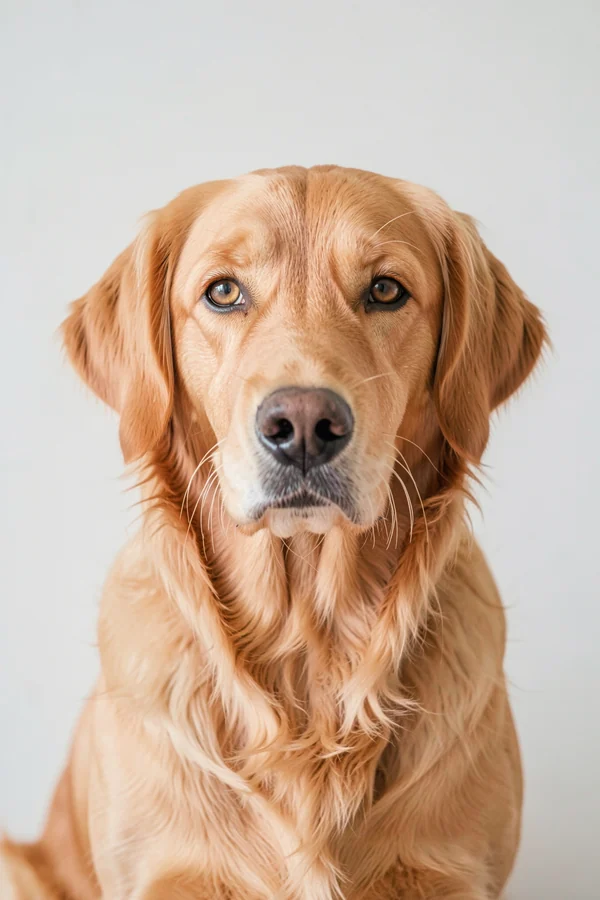
A subject facing the camera, even light and a plain background give the most reliable result. Backlight, a dark room, a tiny subject or clutter behind it make the subject hard to read, and the redraw drifts: the same golden retriever is far easier to work from in the close, evenly lit shot than tucked into the corner of a messy room. One face or one product per photo works most reliably.
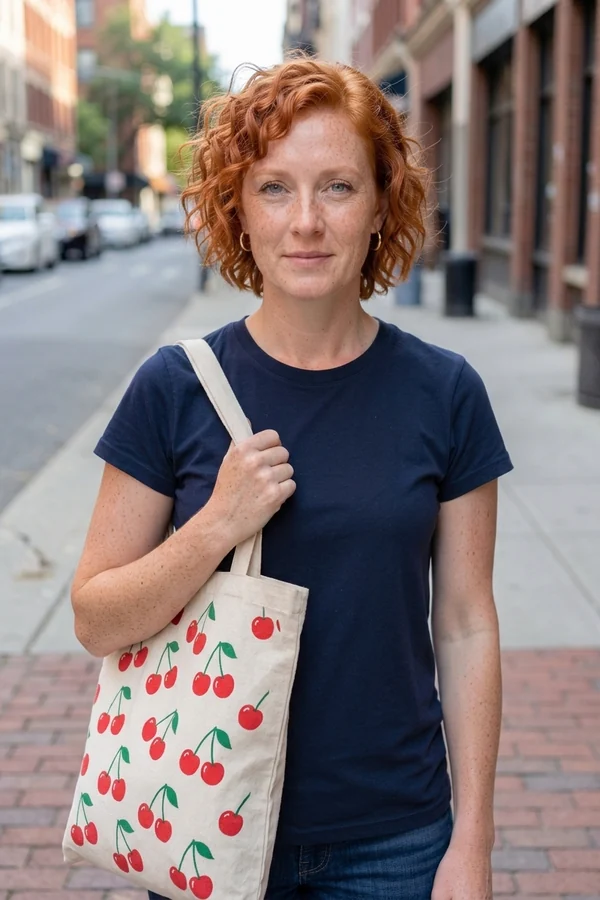
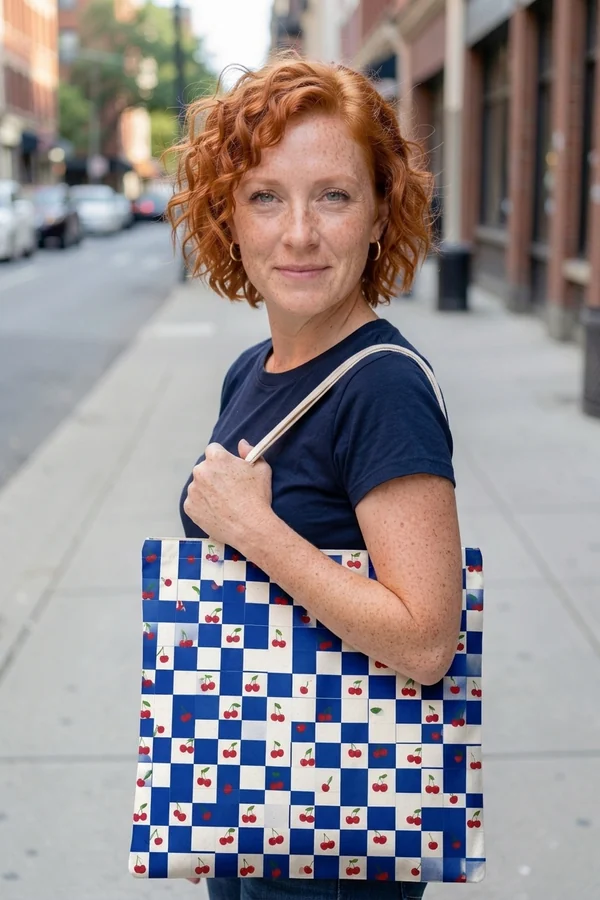
Multi-image reference
Want one specific bag or jacket in the picture? Words alone only get a rough guess: “a canvas tote with cherries” produced a different bag. Upload a photo of the bag as well, and the checkerboard and the small cherries match. Nano Banana 2.1 takes several reference photos.
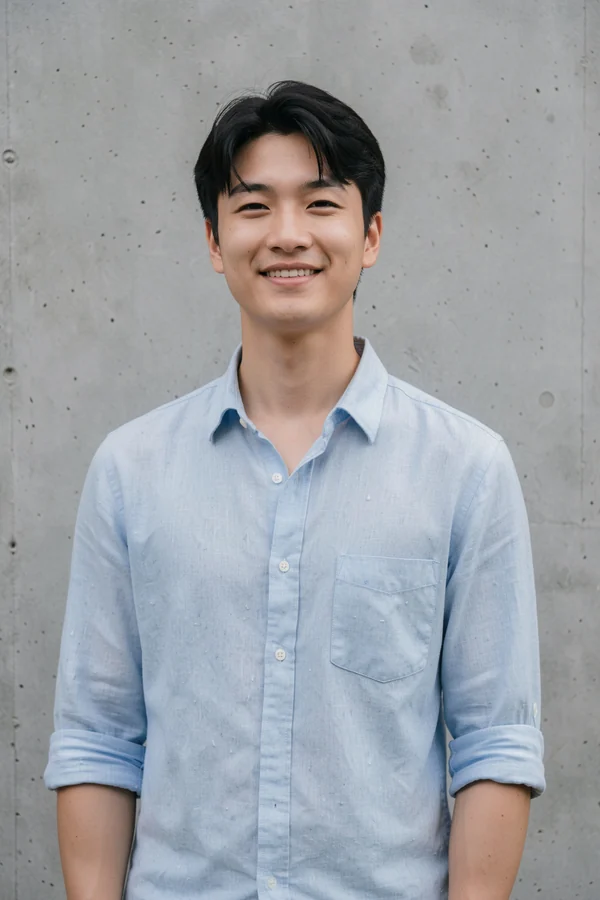
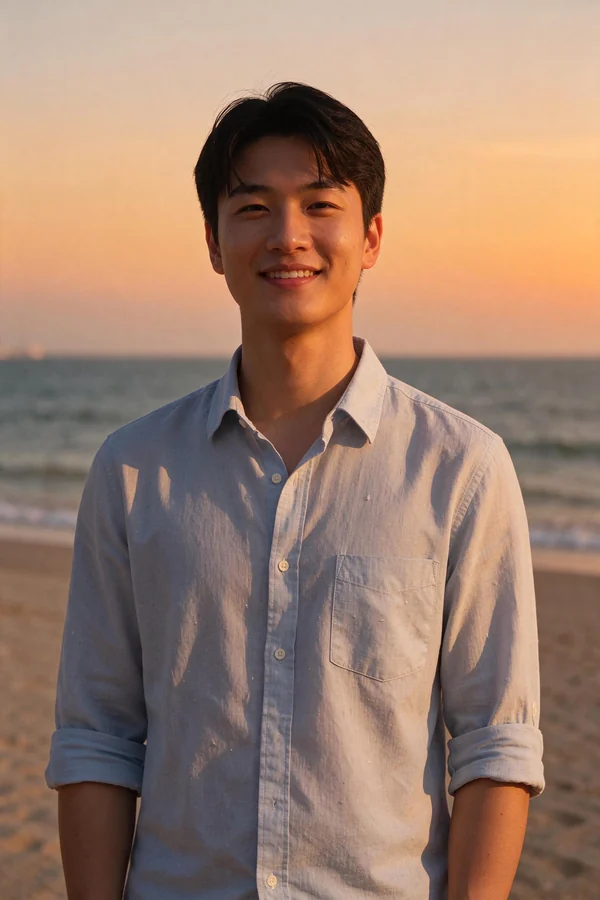
Multi-turn editing
Name what must stay, like “keep the same face” or “don't change the logo”. To edit one picture over several rounds, use Seedream 5.5: its multi-turn editing stays consistent, so you can move the subject to a beach and then warm the light to sunset while the person and the shirt stay as they were.
From a photo to a new picture in four steps
Upload a photo
Pick one where the subject is clear and evenly lit. To combine photos, add the others too.
Say what should change
One sentence does it: “turn this into a soft watercolor”, “put her on a beach at sunset”. Add what must stay. Rather not write? Pick a template and add your photo to it.
Choose a model and generate
Not right yet? Switch models, or change a line and go again.
Download, or keep going
Pictures come without a watermark. Feed the new picture back in for another round, or take it to Image to Video to set it moving.
Why choose Plimo as your image to image AI generator
One upload, several models
Send the same photo to Seedream 5.5, GPT Image 2.5 and Nano Banana 2.1. One AI photo to photo generator, three takes on your sentence, so a second model often nails it.No Photoshop to learn
Type one line and the whole picture is redrawn, with no layers or masks.Templates for popular looks
The prompt is already written, so all you bring is the photo.No watermark, even on free
Nothing gets stamped on your pictures, with or without a plan.
Which model to pick
Seedream 5.5
ByteDance's image model: consistent multi-turn editing and multi-image reference, and whatever you don't mention stays as it was.
GPT Image 2.5
OpenAI's image model: it stays close to your photo, and it's a good pick when the picture needs text.
Nano Banana 2.1
Google's image model: fine detail up to 4K, and it blends several photos into one scene.
Use cases
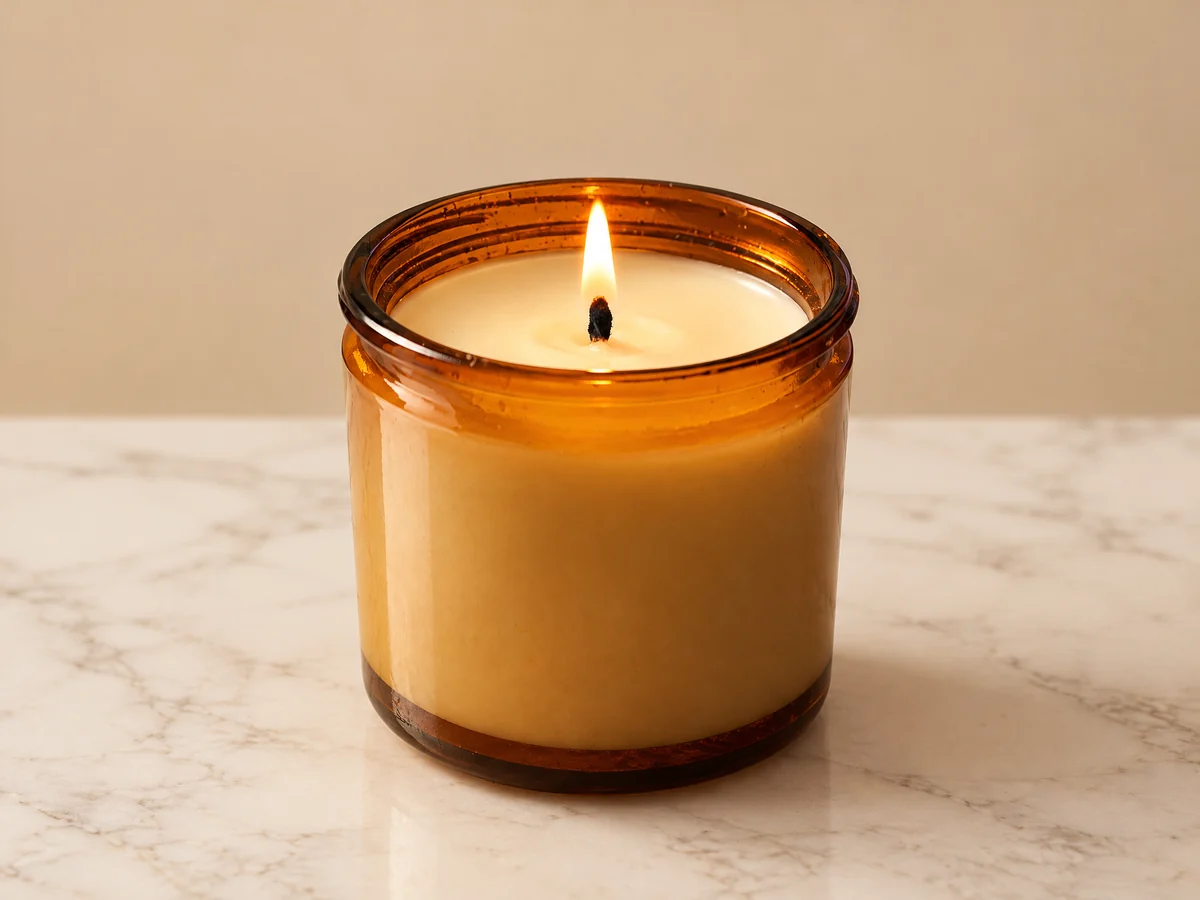
Product photos for online shops
One casual product photo moves onto marble in studio light. Used as an AI picture generator from a photo, it turns one listing picture into a whole set.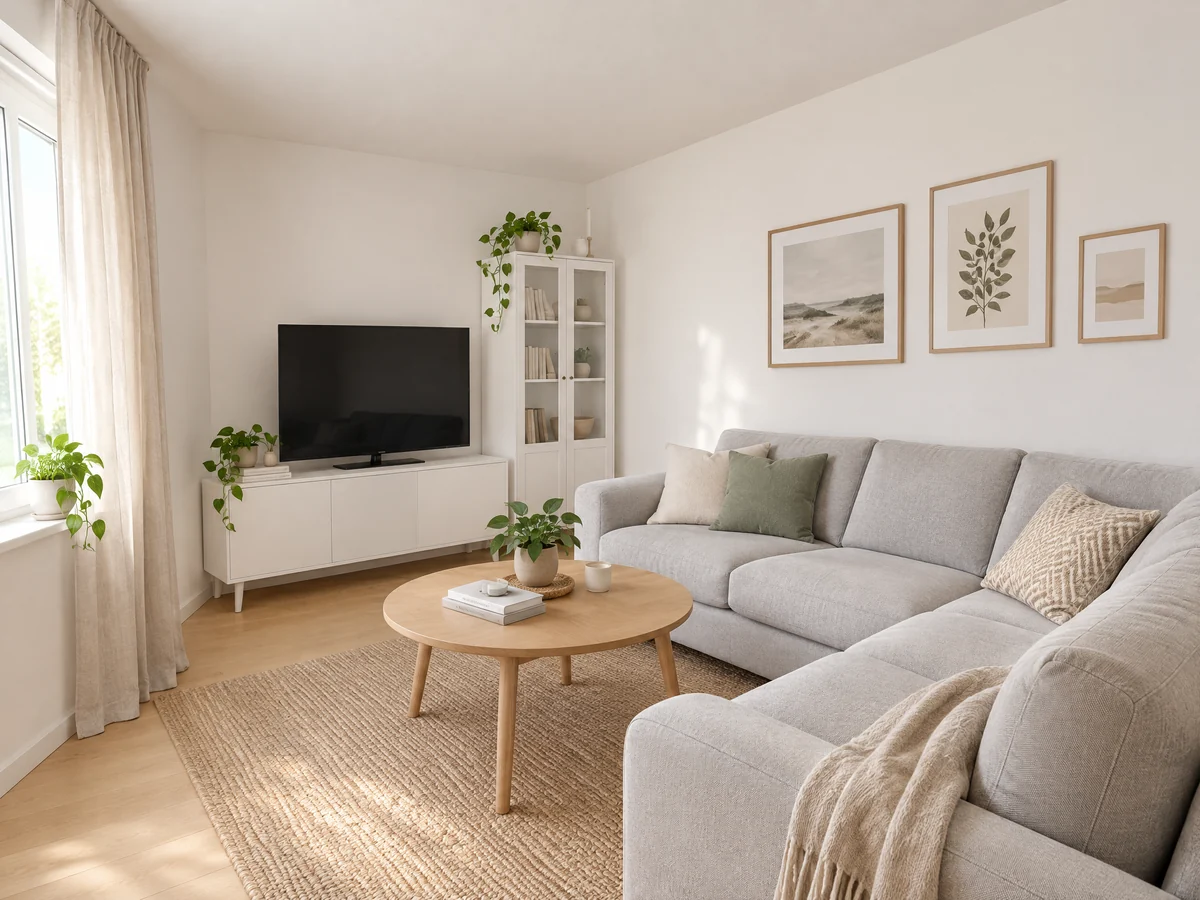
Home and interior design
Photograph a room, then see it in Scandinavian, Japandi or mid-century style before you buy a single thing. Picture to picture AI changes the furniture, colors and light.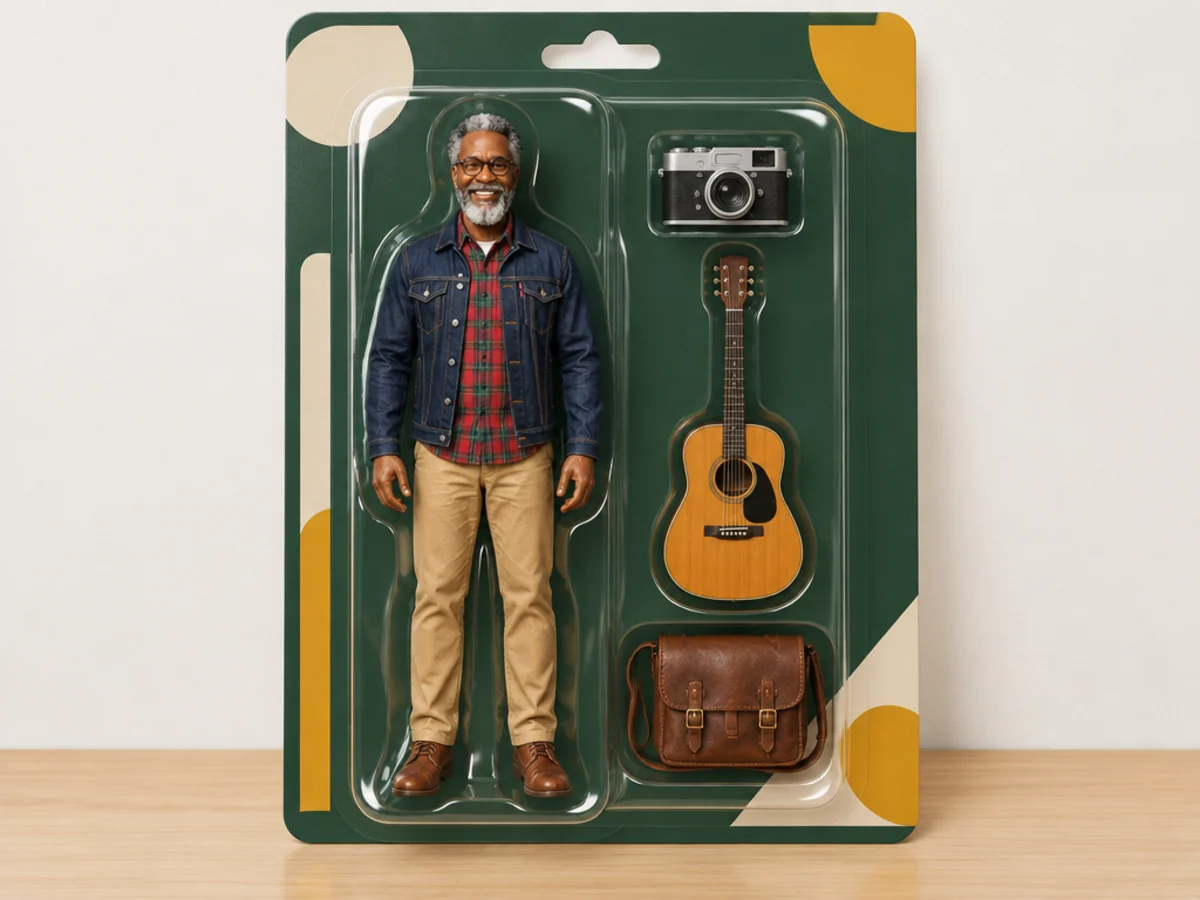
Characters and covers
Become a boxed action figure, a game character or the face of a channel cover, with your own face.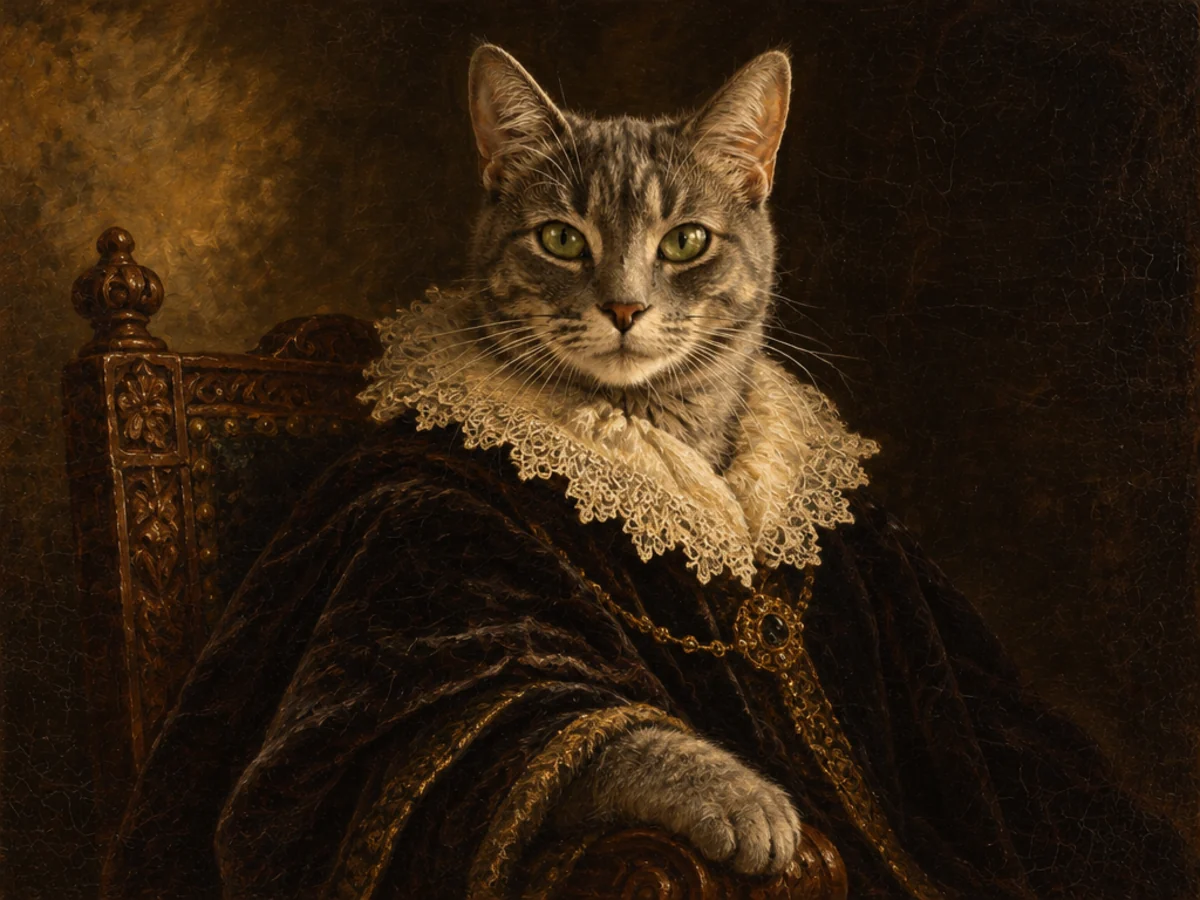
Pets and family photos
Turn your cat or dog into an oil portrait, or move a family photo to a snowy cabin for the holiday card. Going from photo to AI image takes one sentence.