AI Video Generator: Make AI Videos from Your Ideas or Photos
What is an AI video generator?
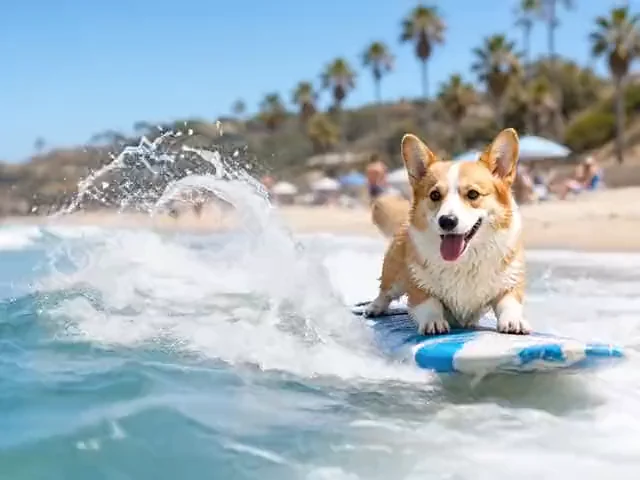
An AI video generator films what you describe, or sets a photo in motion. This corgi riding a wave came from one line of text, with no footage, no camera and no editing. If you've wondered how to make AI videos, that's all it takes: describe the scene, generate it, post it.
When all you have is words, start in Text to Video, where your AI video is shot from the scene you write: who's in it, what happens and how the camera moves.
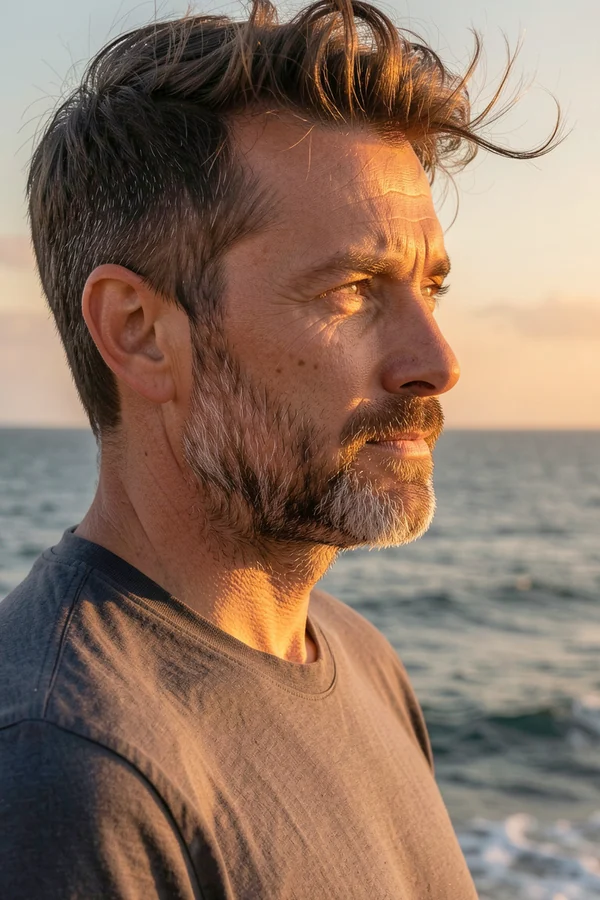
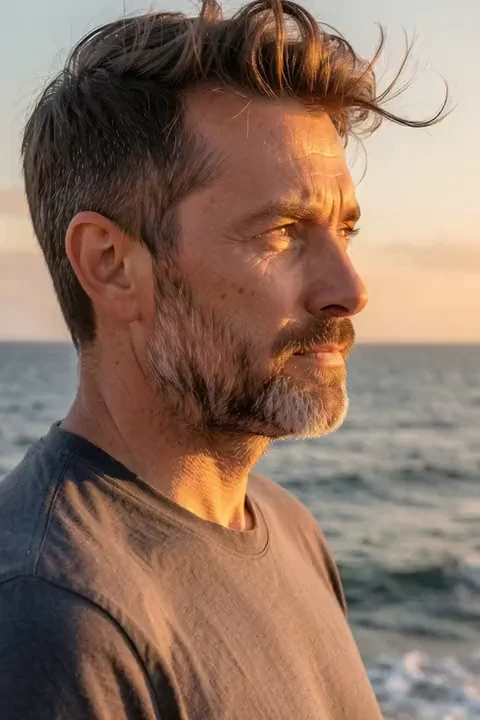
Have a picture you'd like to see move? Image to Video uses that picture as the first frame and sets it moving. This portrait became a slow push-in on the man's face, with the wind in his hair and the waves rolling behind him, and he still looks like the same man.
That makes Plimo a photo to AI video generator for portraits, pets and the products you sell.
What people make with an AI video generator


Video from a character sheet
Use a character sheet as the reference image, and the character in the video matches it. This orange fox mascot kept its round shape, its colors, its teal scarf and its dark brown paws while it waved at the camera in a sunny park.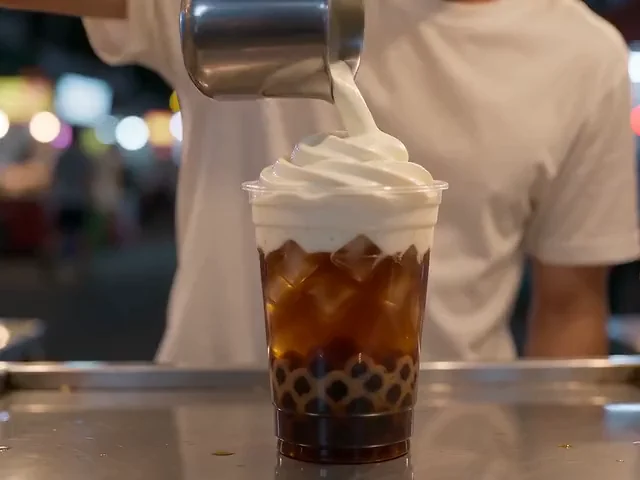
Short videos for social media
A night-market vendor tops an iced milk tea with cream and hands it to the camera, all from one line of text. Composed vertical or widescreen from the start, an AI short video for TikTok, Reels or Shorts needs no cropping. With a shorts maker AI like this, you can post every day without filming.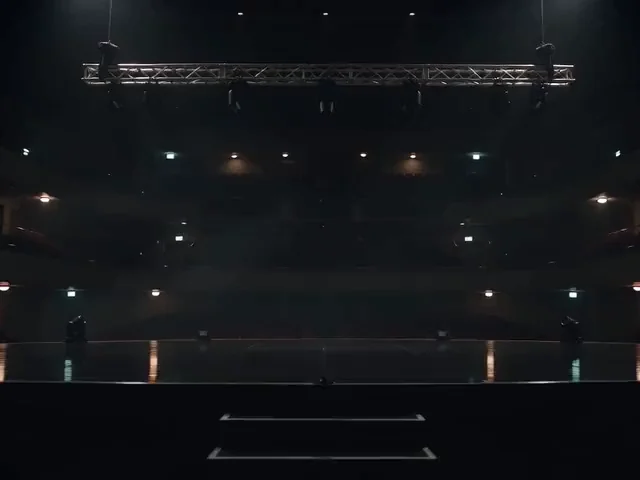
Promos for events
Spotlights switch on one by one over an empty stage, then streamers fall from above. Describe an opening like this and post the AI video promo a few days before the launch or the show.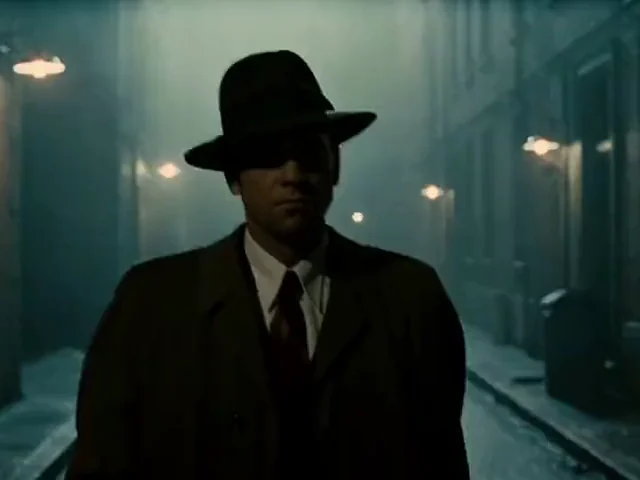
Short films
A detective in a trench coat walks through a foggy alley at night, lit like an old film noir. It came from one sentence, with no set, no actor and no crew.
Have an idea you'd like to see as a video?
Video to video: change footage you already have
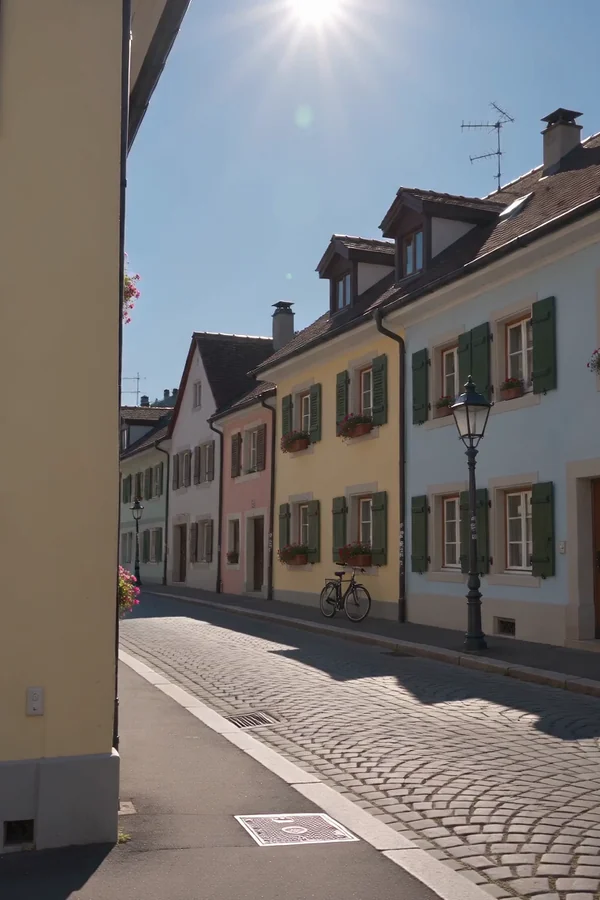
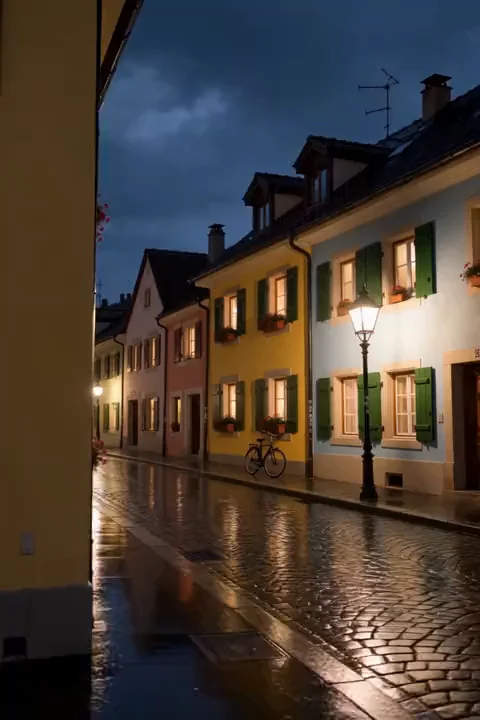
Already filmed something? Plimo also works as a video to video AI generator: upload your footage and describe what should change. This sunny street at midday became the same street on a rainy night, with the cobblestones wet and shining and the lamps and windows lit, while the houses and the street itself stayed as they were.
So it's an AI video maker from video as well as from words. Change the weather or the time of day and keep the scene you shot. Want the moves from a dance clip on the person in a photo? That's Motion Control AI.
How to use the Plimo AI video generator
Start with a sentence, a photo or a clip
Here's how to create an AI video: type the scene you want, or upload a photo when a real person, pet or product needs to be in it. When the exact look of the scene matters, make the picture first in the AI Image Generator, then send it to Image to Video to set it moving. You can also make an AI video from a short clip you shot. To create a video with AI, you don't need a camera or any editing.
Describe the action and the camera
A good AI video prompt says who moves, what happens and where the camera goes: “a kid in a yellow raincoat jumps into a puddle, slow motion, low angle.” Add the sounds you want to hear, like rain or footsteps.
Pick a model and generate
Try the idea on a light model first. Not quite right? Change a line in the prompt, or switch models and run it again.
Download and post
Save the video and share it to your feed, your shop page or the family group chat.
Why choose Plimo as your AI video generator
Many models, one account
When one model misses the shot, run the same idea on another without opening a second account or paying for a second plan.Sound comes with the picture
Footsteps, waves and traffic come out with the picture, and on Gemini Omni 1.2 Flash a line you put in quotes, like “Your coffee is ready!”, is spoken in the clip.Long single takes
One shot can run long enough for a whole scene, so you don't have to stitch together a handful of few-second clips.Ready-made effects
Short on AI video ideas? Start from a trending effect with the prompt already written, the way plenty of AI video creators do.No visible watermark, even on free
Plimo stamps nothing on your videos, with or without a plan; Veo and Gemini Omni clips carry Google's invisible SynthID.
Video models you can choose from
Seedance 2.0 Mini
A light AI video generation model, so trying an idea first costs little. Sound included.
Seedance 2.5
ByteDance's model, for longer pieces of up to 30 seconds, and for placing one character in a scene you set with photos and short clips.
Veo 3.1 Fast
Google's model, for a sharp 8-second shot in up to 4K, with sound in every clip.
Kling 4.0
Kuaishou's model, for one long take of up to 30 seconds, or for working from your own footage: copy its moves or change the clip itself.
MiniMax H3 Max
For a shot that ends where you want: add a last frame. Every clip comes with sound and runs up to 15 seconds.
Wan 3.0
Alibaba's model, for long, detailed prompts and the widest choice of lengths, from a 2-second loop to a 30-second scene.
Grok Imagine 1.5
xAI's model, for quick drafts with sound in every clip.