AI Art Generator: Create Drawings, Paintings and Pixel Art from Text, Photos or Sketches
What is an AI art generator?
An AI art generator draws in the style you name. Write the subject, then the medium, the brushwork or the era, like “thick oil paint” or “1920s linocut”, and the model paints your idea that way. That is what AI art is: an AI drawing or painting made by an image model from your words, with no lessons and no drawing tablet.
The starting point can be a line of text, a photo or a sketch from your notebook. As an AI art generator from text, it works from words alone; a photo or a doodle gives it a shape to follow. For anime or a cartoon of yourself, the AI Anime Generator is built for that.
AI art styles: one subject, four mediums
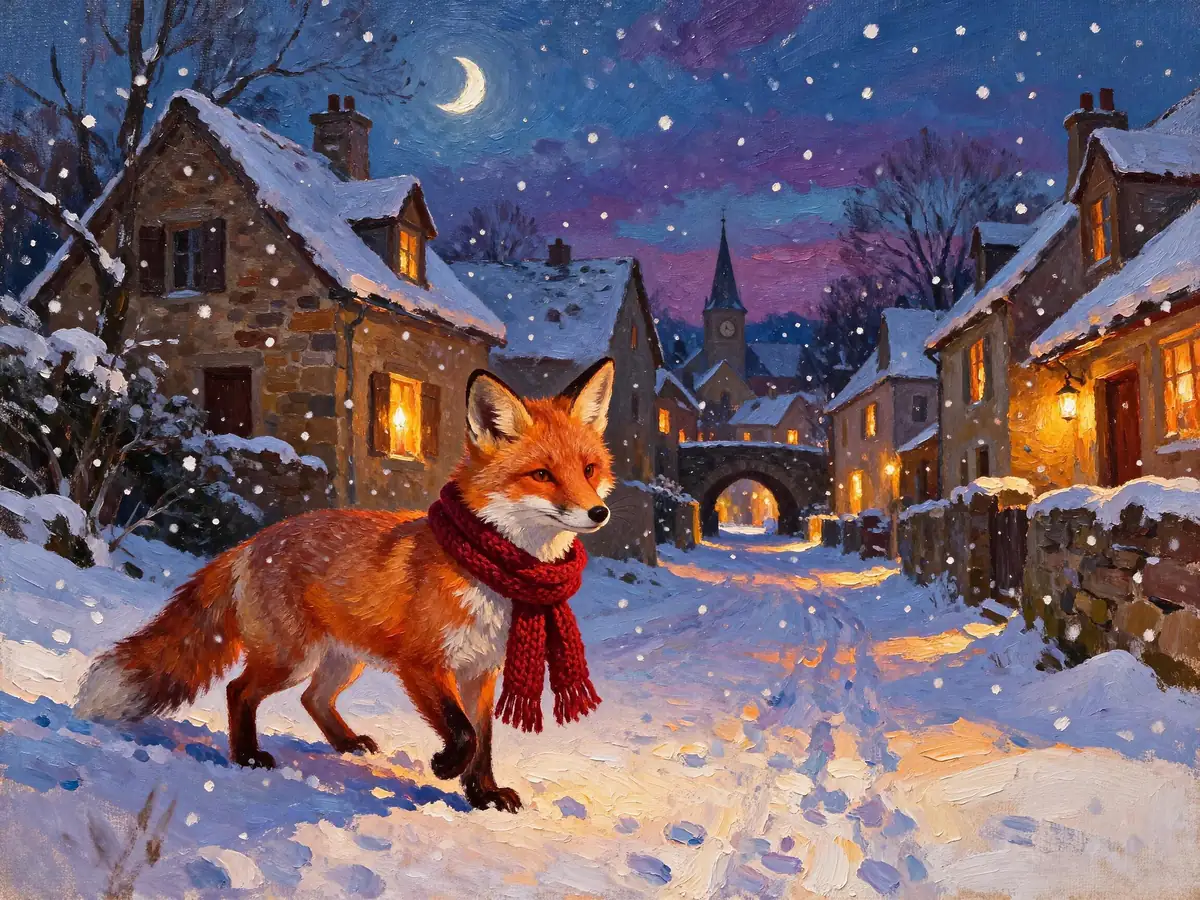
Oil painting
“Classical oil painting, thick impasto”: heavy brushstrokes, with the fox large in the middle. All four pictures here come from Seedream 5.5 and one prompt about a red fox in a knitted scarf on a snowy street at dusk; only the style words change. As an AI painting generator, it does thick oils as easily as a quiet wash.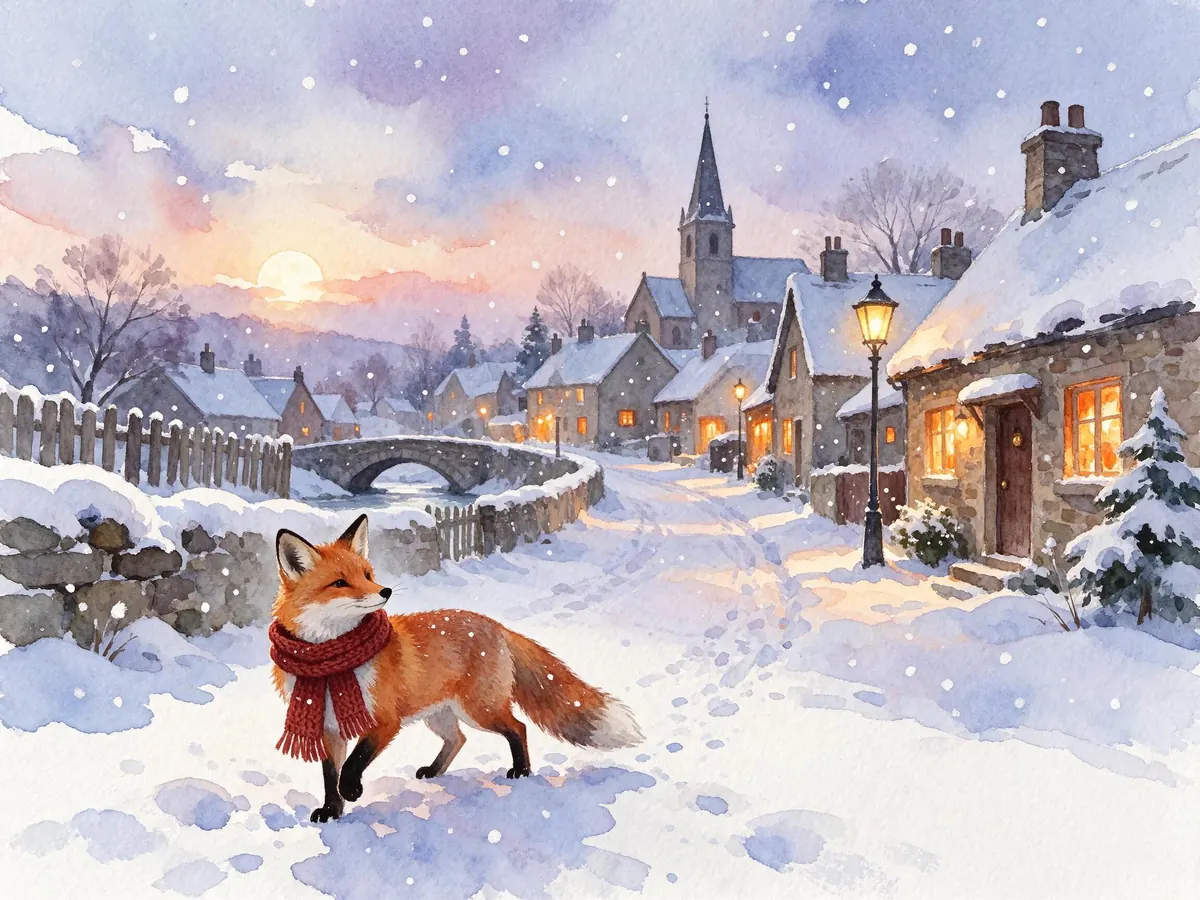
Watercolor
“Loose watercolor, bleeding washes”: soft edges and plenty of white paper, with the fox small and low in the picture.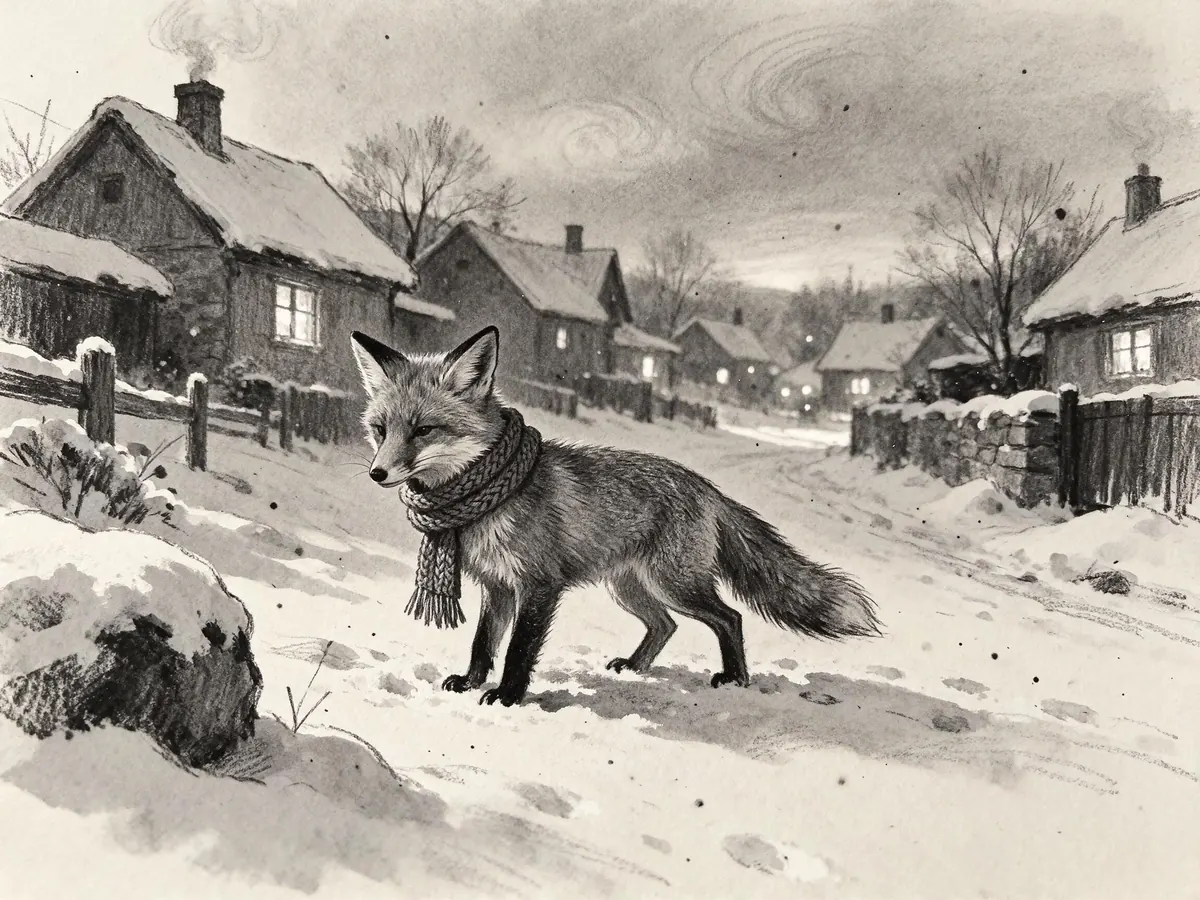
Charcoal
“Charcoal drawing, black and grey only”: the AI drawing generator turned the same street into smudged shadows with no color.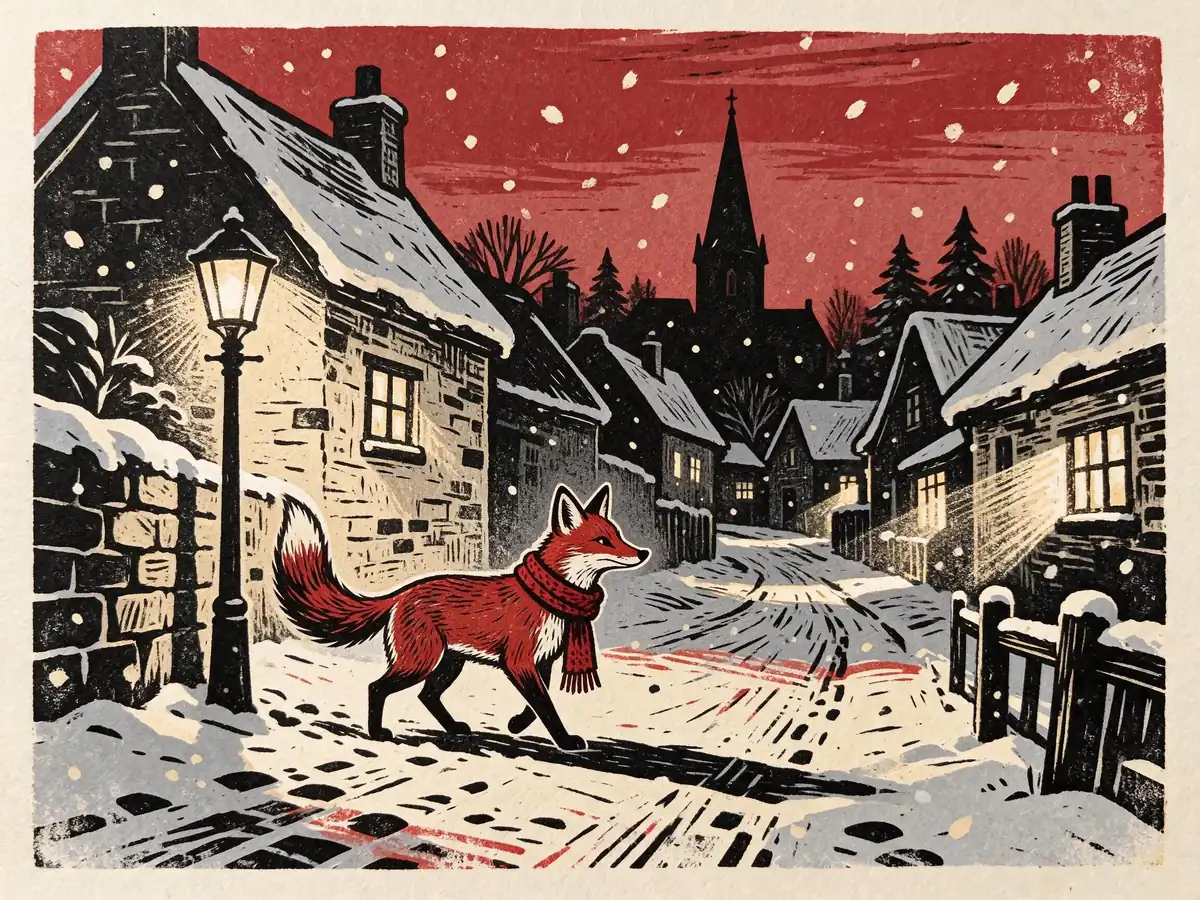
Linocut print
“Linocut print, three ink colors”: bold carved lines in red, black and cream, like a print pulled by hand.
Got a subject in mind? Try it in a style of your own.
Start from a photo or a sketch
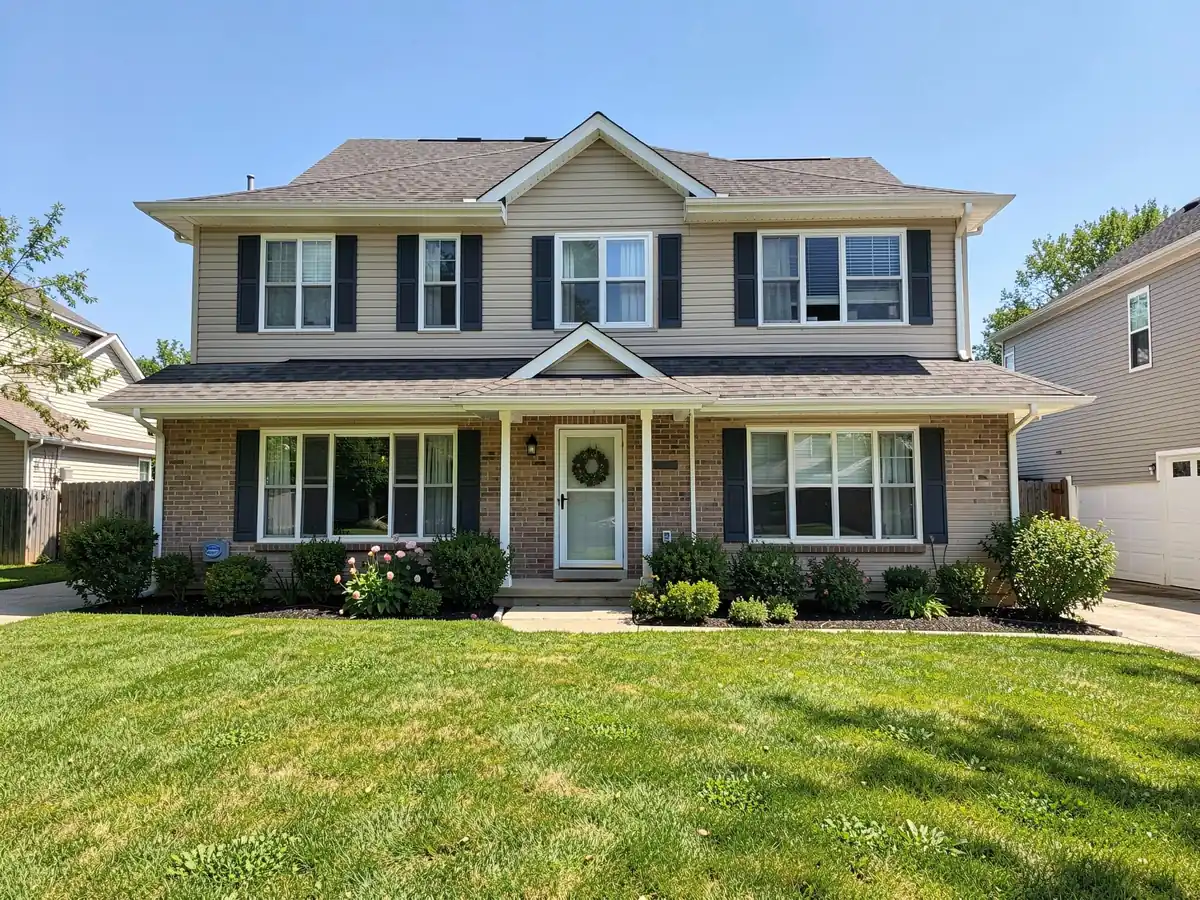
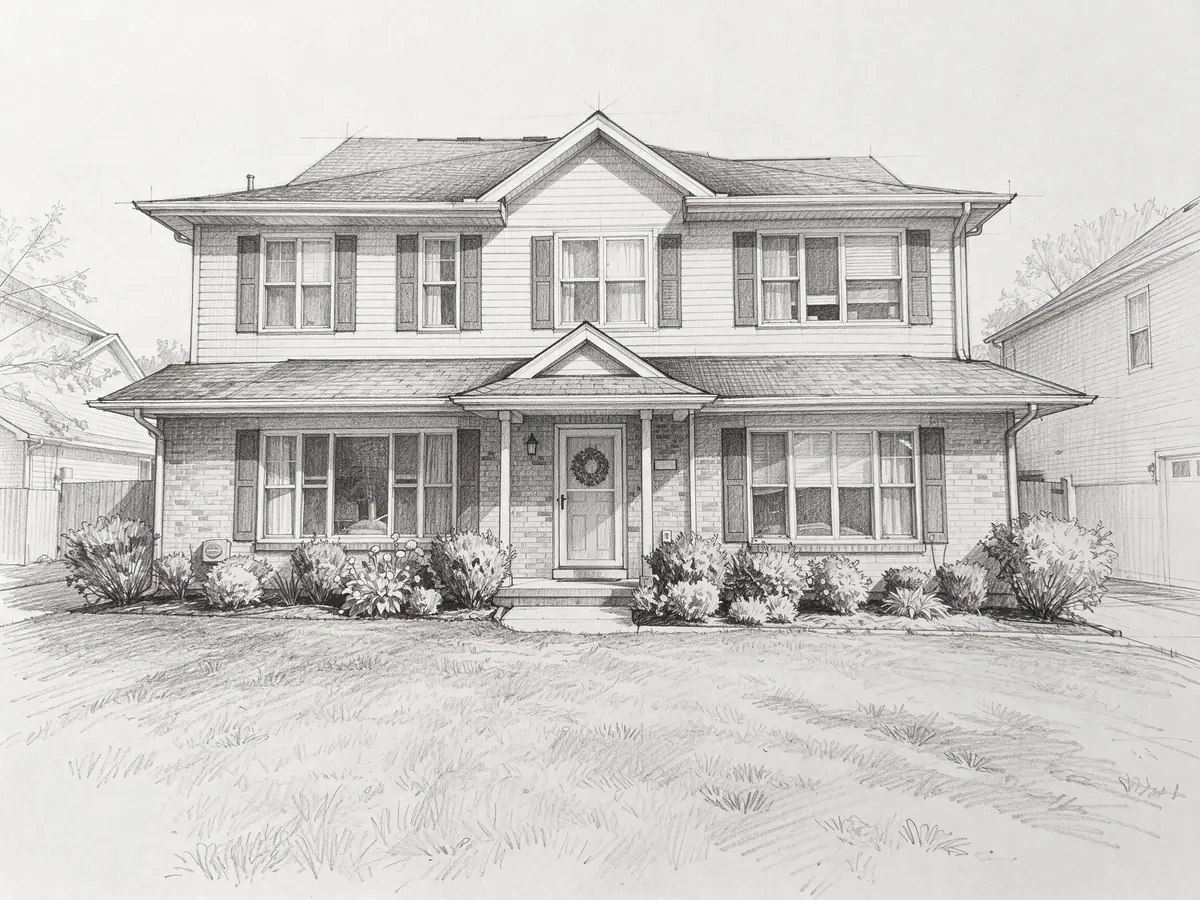
Photo to sketch
Upload a photo and ask for a pencil sketch: this two-story house came back as graphite on paper, with the roofline, the windows and the lawn where they were. AI photo to sketch keeps the layout and changes only the strokes. To convert an image to a sketch of a pet, a portrait or a travel shot, use the same AI sketch generator: it works as an image to sketch converter too.
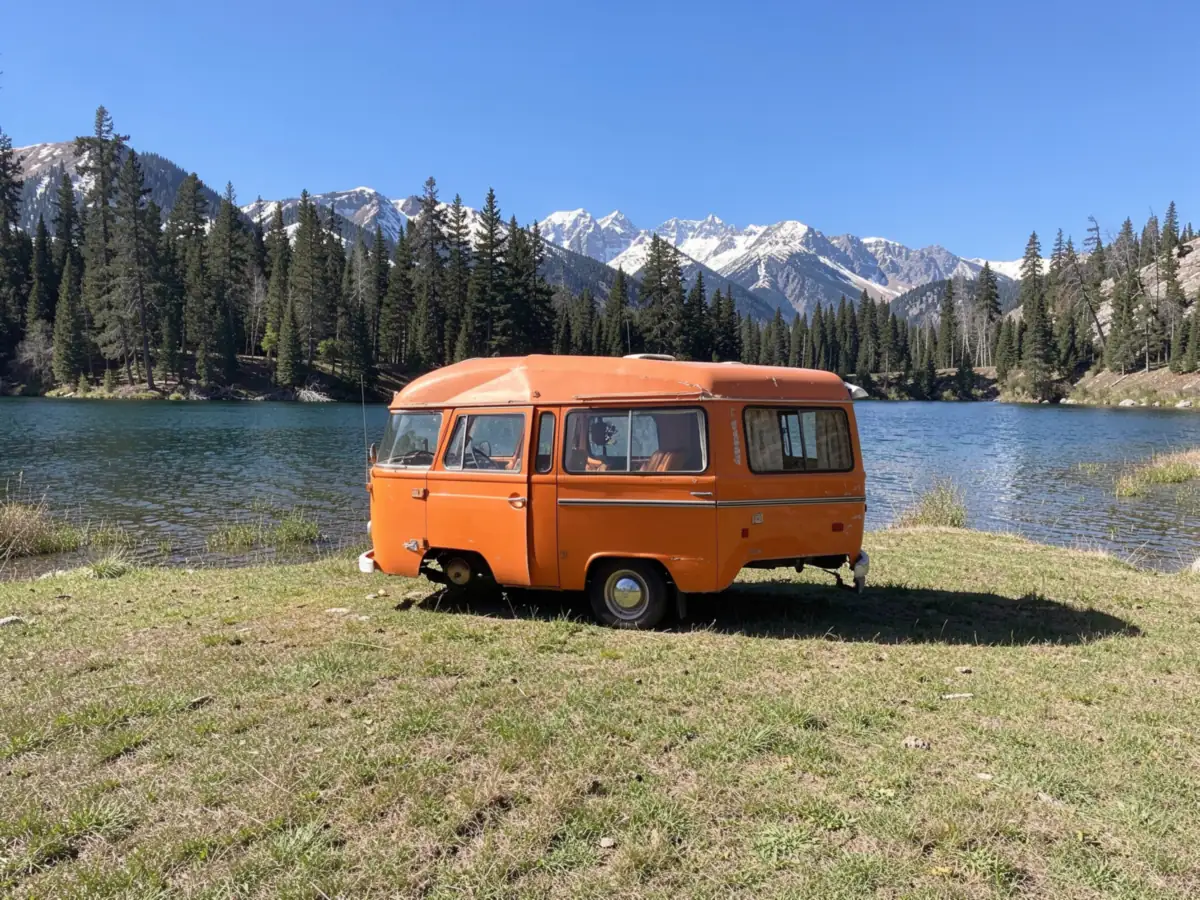
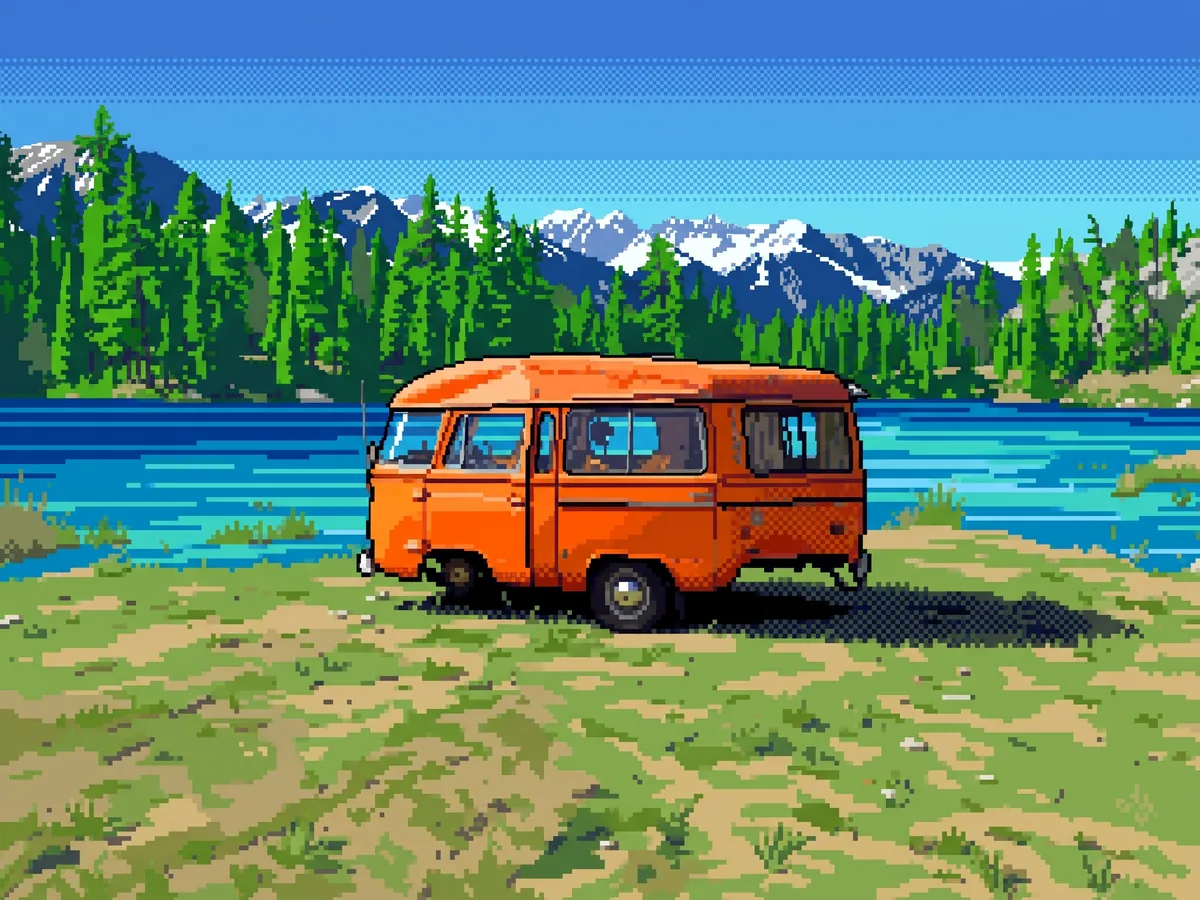
Image to pixel art
Image to pixel art works the same way. This orange camper van by a mountain lake became a 16-bit game scene on Nano Banana 2.1, with the van, the water and the peaks in place. Any photo can go through the AI pixel art generator: your dog, your desk, your street.
Sketch to image
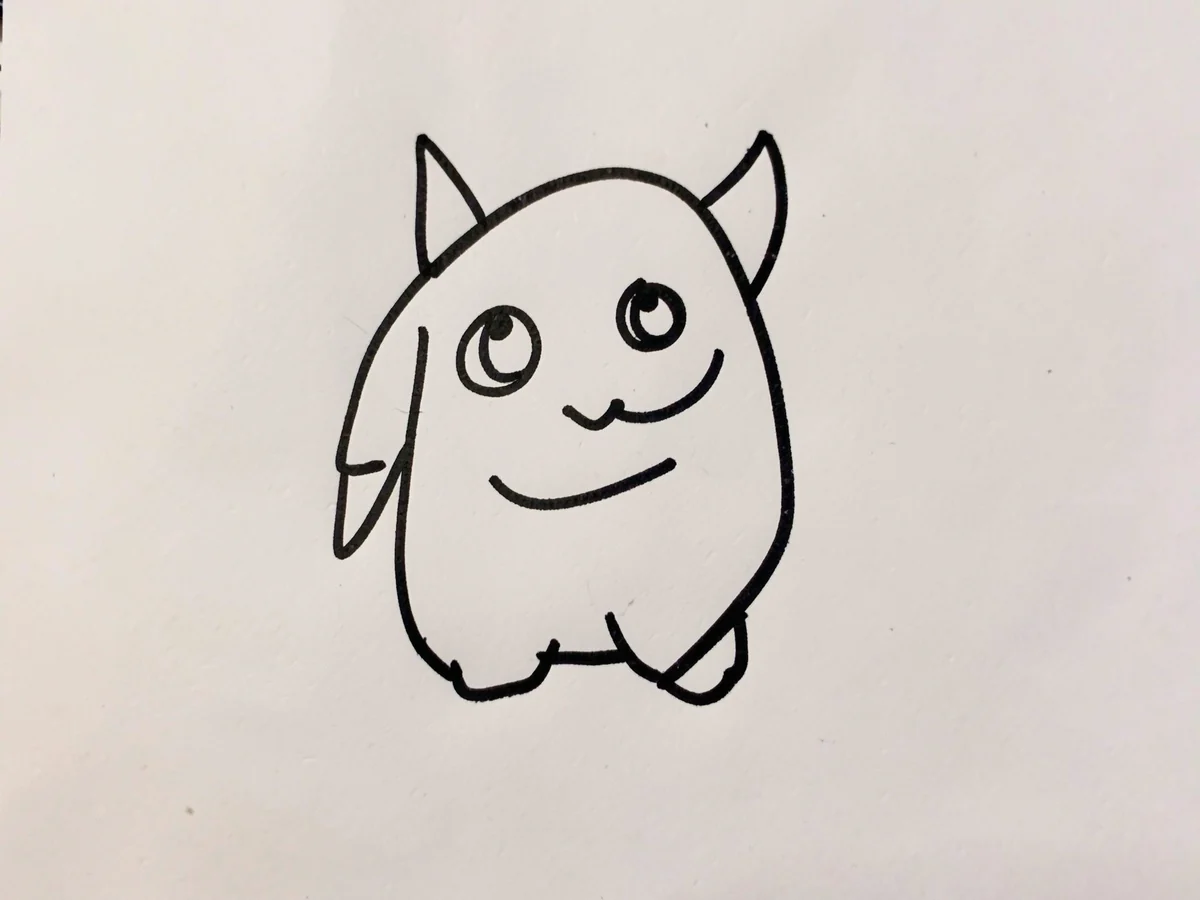
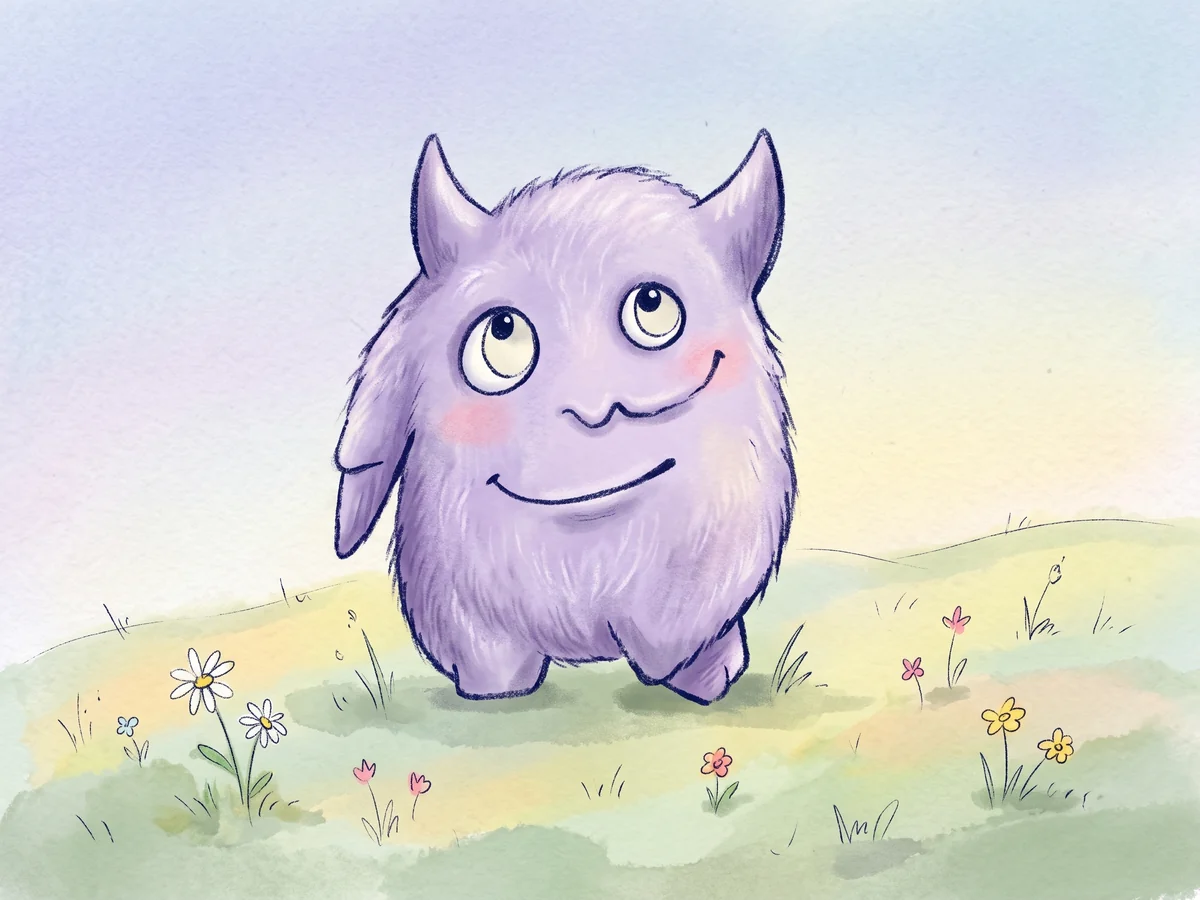
Photograph a doodle from your notebook and the AI finishes it: this black marker monster came back as a colored picture-book illustration, same shape and pose, now with lavender fur in a meadow. Sketch to image AI shows where an idea could go before you spend hours inking it.
Want to keep the photo itself and change the scene or the background? That is Image to Image.
How to generate AI art
Write the subject
Say what is in the picture in one line, like “a rabbit in a yellow raincoat carrying a lantern through a mossy forest”. Or upload a photo or a sketch to start from.
Name the style
Add the look in concrete words: a medium, a brushstroke, maybe an era. “Soft watercolor, wet edges” beats “artistic”, and AI art prompts work this way on any new subject.
Pick a model
Each model is good at something different, listed below: Qwen Image 3.0 Pro, for one, is built for art with a lot of text.
Generate and build a set
Keep the style words and swap the subject, and a whole series comes out matching: pet portraits, character cards, a page for every chapter.
Why choose Plimo as your AI art generator
Styles without art words
An AI art creator for people who can't draw: templates are finished styles, so pick a picture you like, add your photo and generate, without learning what impasto means.Every model, one account
Every AI artwork generator here draws from the same credits, so a watercolor on one model and a linocut on another never means a second subscription.Character consistency
For a set that belongs together, Seedream 5.5 keeps a character looking the same from page to page.Free to start, no watermark
New accounts get 100 free credits for AI art generation, and every piece downloads without a watermark, ready to print or frame.Your art isn't training data
Plimo doesn't train models on the photos you upload or the artwork you make.
AI illustration models on Plimo
Plimo Image 1.0
The quick AI illustration generator for everyday pictures and storybook looks. Words drawn inside the art can come out scrambled.
Nano Banana 2.1
Google's model, for fine detail like fur and fabric, up to 4K, and for painting two pets from separate photos together.
GPT Image 2.5
OpenAI's model, for art with readable words, like a caption or a name across a poster, and for stickers with a transparent background.
GPT Image 2.6
OpenAI's newest model, for art where the words must be right; at its highest quality it handles posters and captions in Chinese or Arabic too.
Seedream 5.5
ByteDance's newest model, for a character who looks the same from every side, for lettering in more than one language, and for transparent backgrounds.
FLUX 3 Image
Black Forest Labs' model, for any shape, from a tall phone wallpaper to a wide banner.
Qwen Image 3.0 Pro
Alibaba's model, built for pictures that carry a lot of text, like an illustrated poster with a long title.
Ways to use AI art
A storybook page
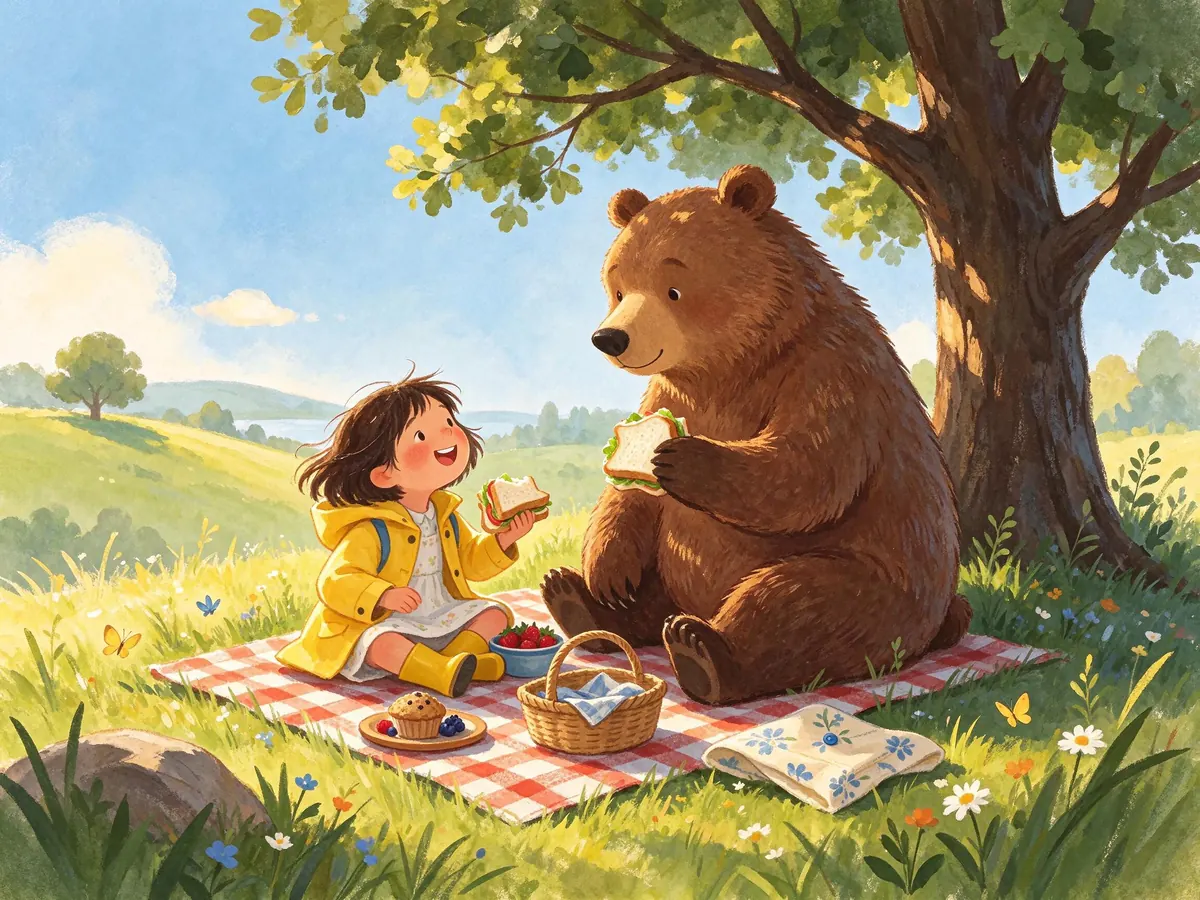
Write a scene from a bedtime story and ask for a children's book illustration: here a girl in a yellow raincoat shares a picnic with a brown bear under an oak, in gouache and colored pencil. Swap in the animal your child loves and print it for their wall.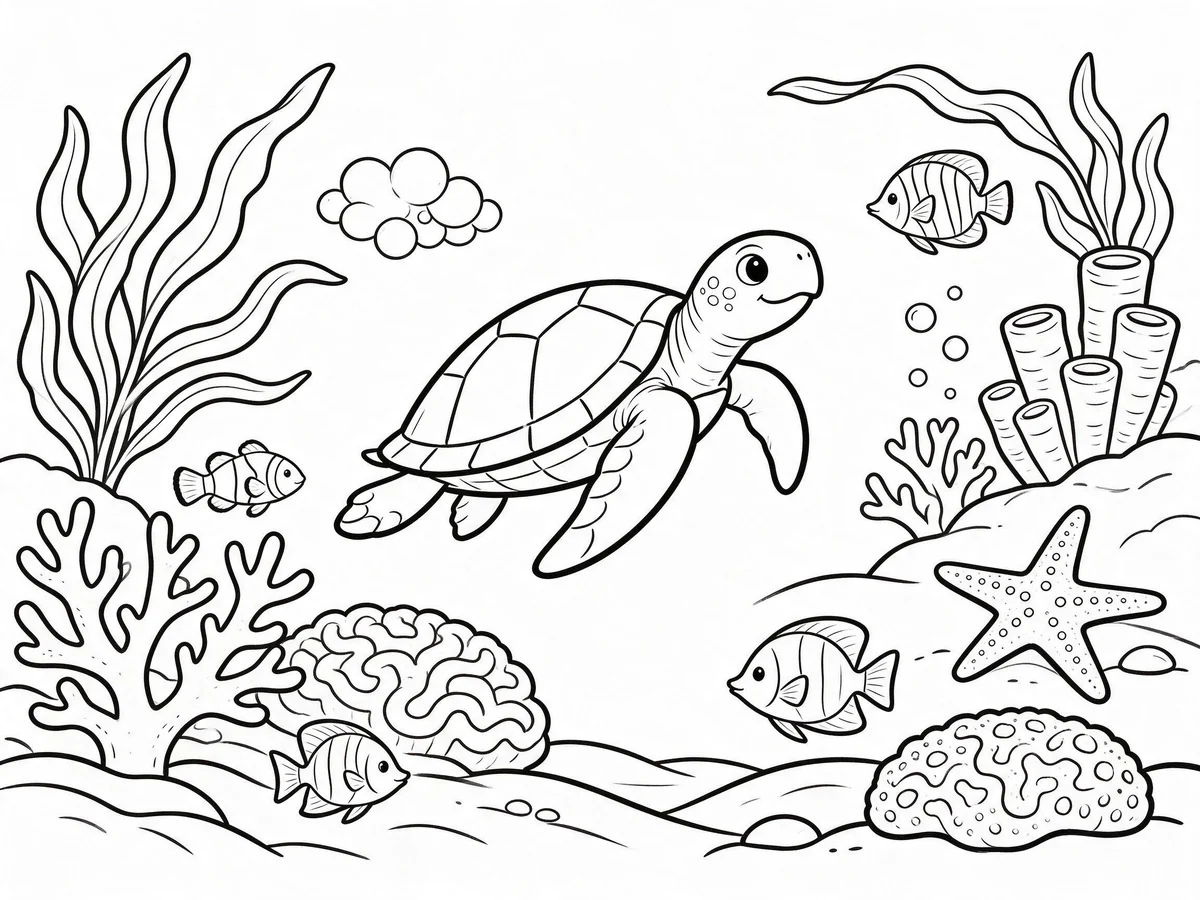
Coloring pages
Use it as a line art generator: “black and white line art, thick outlines, no shading” gave this sea turtle among coral and fish. Print it and hand over the crayons.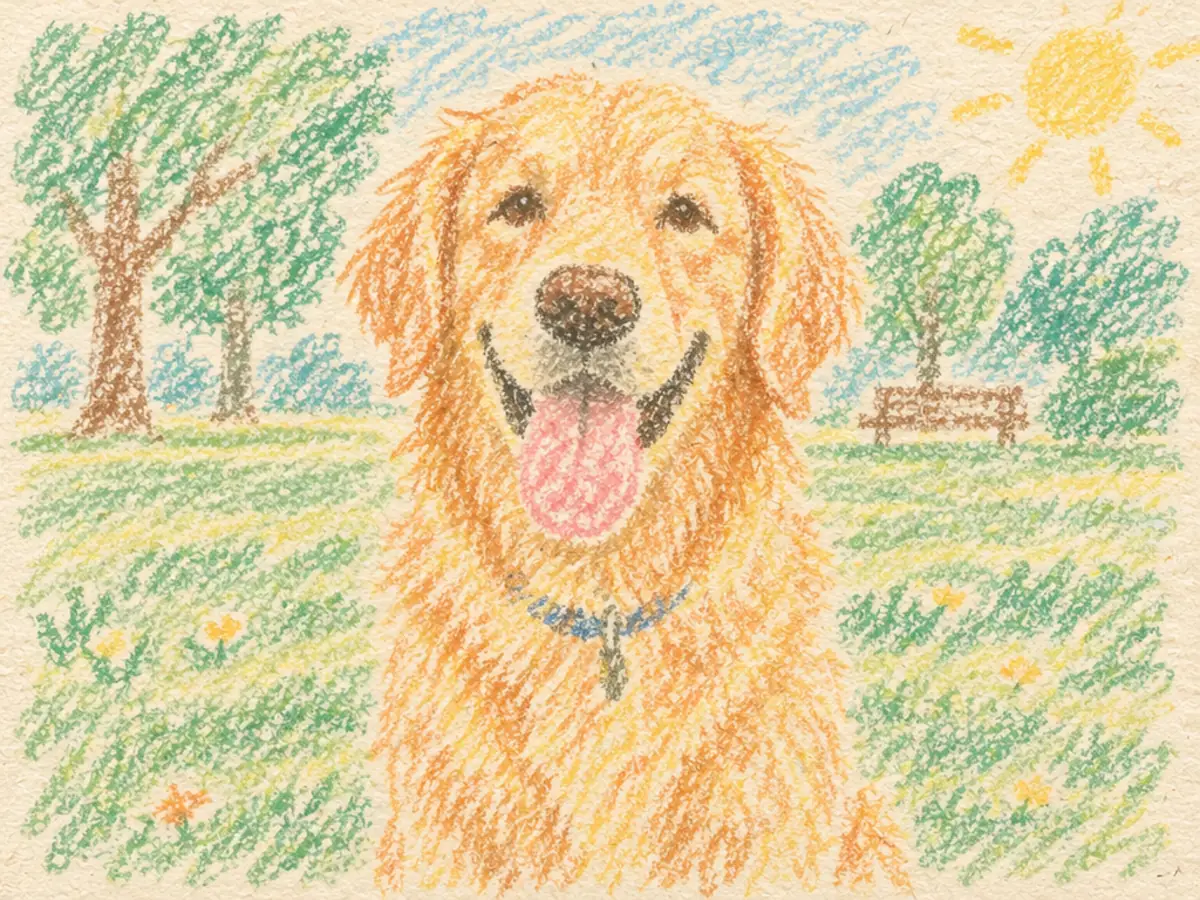
A pet portrait
Upload a sharp photo of your pet and name the medium: this golden retriever became a soft crayon drawing on textured paper. Mention its markings so it still looks like yours.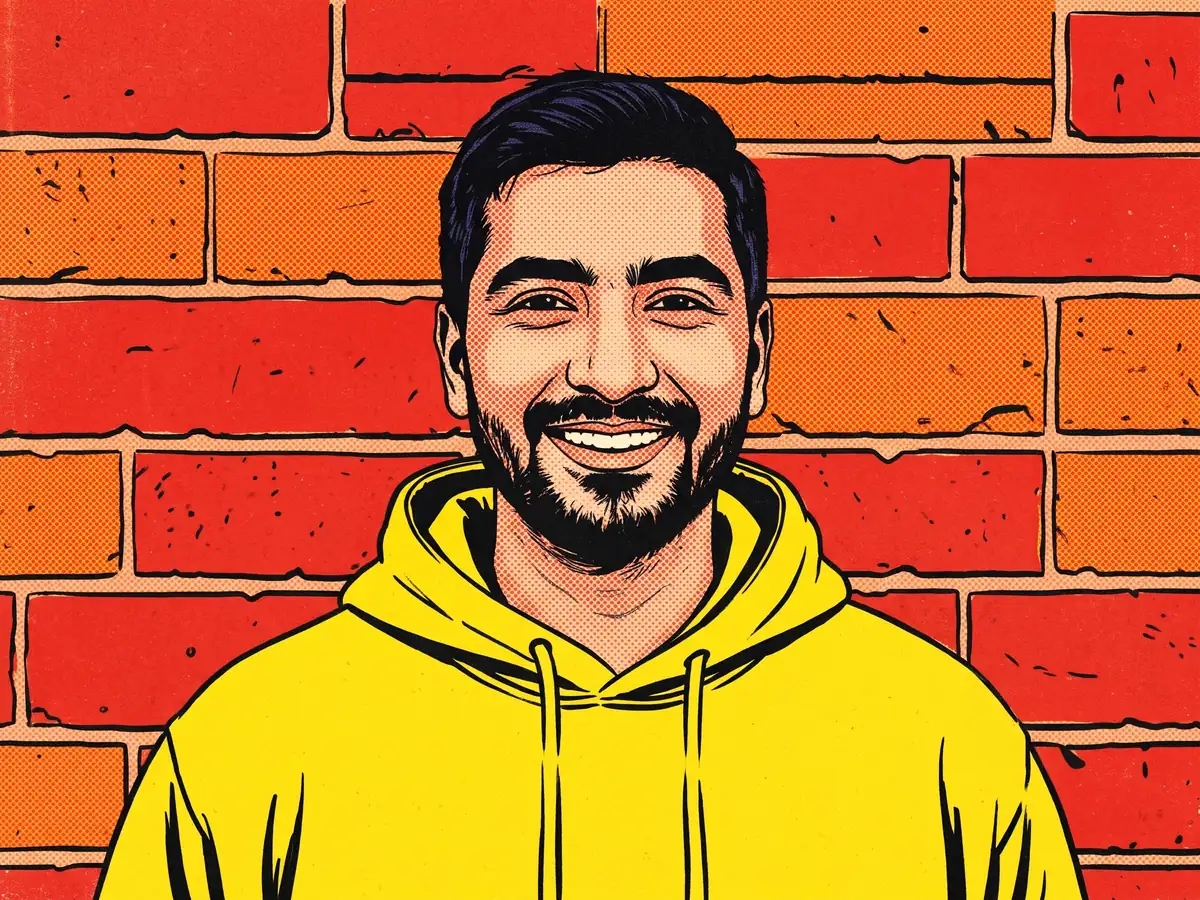
A profile picture
A selfie in bold pop art, with the face, the beard and the hoodie kept, makes an avatar nobody else has. Want it to move? Image to Video sets a drawing in motion.