Kling AI Video Generator: Make Kling 4.0 Videos with Sound, up to 30 Seconds
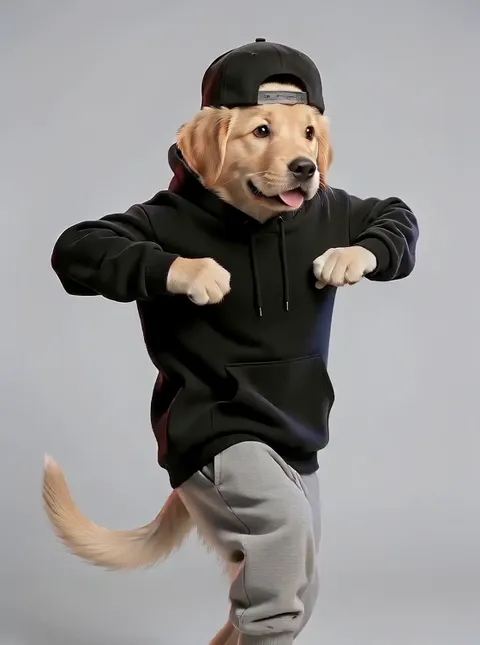

What is Kling AI?
Kling AI is the video model family from Kuaishou, the Chinese short-video company, and it has built its name on big, fast movement that holds together: runners, dancers, fight scenes and cameras sweeping through a set. On Plimo you get Kling 4.0, the generation Kuaishou released in October 2026. It renders a single take of up to 30 seconds, always with sound, and it can start from a sentence, a photo, a few reference pictures or a short clip you shot on your phone.
Kling 4.0
The newest Kling. Up to 30 seconds, always with sound.
- 3–30 s
- 720P / 1080P
- Always with sound
- Up to 7 reference photos
- Up to 1 reference clip
From 393 credits
A short history of Kling
June 2024
Kling 1.0
Opened as a beta inside Kuaishou's KuaiYing editing app, turning written prompts into short clips.
Late 2024
Kling 1.5 and 1.6
1.5 sharpened the output and added Motion Brush for painting the area that should move. 1.6 followed in December with better overall quality.
2025
Kling 2.0, 2.1 and 2.5 Turbo
2.0 Master arrived in April, 2.1 added Standard, Pro and Master modes in May, and 2.5 Turbo made results steadier and cheaper.
December 2025
Kling 2.6 and Kling O1
2.6 was the first Kling to make dialogue, music and sound effects with the picture. O1 put generation from text, photos and references, plus editing, in one model.
February 2026
Kling 3.0
Brought multi-shot sequences, takes of up to 15 seconds and native speech in several languages and accents.
October 2026
Kling 4.0
Doubles the single take to 30 seconds, with steadier large-scale motion, smoother fast action and camera moves, and more keyframe and reference control.
How Kling AI video generation works on Plimo
Kling 4.0 is already selected
The generator at the top of this page opens on Kling 4.0. You can pick another model from the menu, and the page remembers your choice.Pick what to start from
Kling always needs a written prompt. Next to the prompt box you can add a start frame with an optional end frame, up to 7 reference photos, or one reference clip, and you use one of these per video. Photos have to be JPG or PNG.Set the length and shape
Slide the length anywhere between 3 and 30 seconds and choose wide, vertical or square. When you add a start frame, the video keeps the shape of your photo instead.Sign in and generate
Press Generate once you're signed in. The button shows the credits for exactly the clip you've set up, and that number grows with length and quality.Watch it in My creations
The finished clip plays further down the page. Download it, or press Remake to load the same prompt and uploads back into the generator.
Why use Kling AI on Plimo
Cheap tests before the long take
Kling is priced by the second, so you can try a 3-second draft of a tricky shot, check the motion, and only then spend credits on the full 30.Edit footage you already have
Upload your own video as the reference clip and set it to edit, and Kling changes what is in the scene rather than inventing a new one.No watermark for members
Kling videos you make as a member download clean and can go into ads, client work or a shop page.Your uploads stay yours
Plimo doesn't train models on the photos and clips you add, or on the videos you make with them.
How Kling compares with other video models
Kling 4.0 stands out for length and motion. The other video families differ like this.
Veo
Veo 3.1 Fast always delivers an 8-second clip with sound in wide or vertical only, while Kling 4.0 lets you choose 3 to 30 seconds and adds a square format.
Seedance
Seedance 2.5 matches the 30-second length and, unlike Kling 4.0, can mix reference photos with up to three reference clips in one video and run without sound.
Hailuo AI
The Hailuo models stop at 15 seconds but can follow up to three reference clips instead of one, and they offer more frame shapes, including ultra-wide 21:9.
Grok Imagine
Grok Imagine 1.5 skips start and end frames and works from up to seven reference photos, the same number Kling 4.0 accepts, but it stops at 15 seconds.
Wan
Wan 3.0 also reaches 30 seconds, but unlike Kling 4.0 it can run silent and combine up to ten reference photos with up to five reference clips.
Vidu
Vidu Q4 Preview can animate a photo with no prompt at all and accepts as many as fifteen reference photos, for clips of up to 16 seconds.
FLUX
FLUX 3 Video has a low-cost draft mode for rough previews of clips up to 20 seconds, and the same family makes still images with FLUX 3 Image.
SkyReels
SkyReels V4 comes as Std and Fast versions with identical settings, guided by text, frames or up to three reference photos.
HappyHorse
HappyHorse 1.1 is built for mixing up to nine reference photos into one clip, though it has no end-frame option.
What to make with Kling 4.0
A whole little story in one take
Describe a kid chasing a kite along a beach until it snags in a palm tree and a stranger climbs up to free it. With 30 seconds to work with, it plays out as one continuous shot.Action that keeps its shape
Sports, dance and chase scenes are where Kling shines. Ask for a parkour runner vaulting the gaps between rooftops while the camera swings around them.Restyle a clip you filmed
Upload ten seconds of your living room, set the clip to edit, and ask for a snowed-in mountain cabin with a crackling fire. The result keeps the length of your footage.Borrow a move from a reference clip
Add a clip of a dance or a slow dolly shot in reference mode, describe a new character and setting, and Kling takes its cues from your footage.One character, many angles
Give it up to 7 reference photos of the same person, pet or product from different sides, so the look stays steady through a longer shot.Image to video with a set ending
Kling AI image to video works with two frames too: upload a bare brick wall as the start and the finished mural as the end, describe a painter at work, and Kling fills in the rest.One idea for every feed
Kling makes wide, vertical and square videos, so one prompt can become a YouTube clip, a Reels post and a grid tile.A product spot with real sound
Turn a few photos of a perfume bottle into a 15-second spot with the click of the cap and a soft spray, and if you make it as a member, use it commercially.
Questions about Kling
More AI video tools
AI Video Generator
Make a short video clip from a written idea, a photo or both, with a choice of video models.
Image to Video
Bring a still photo to life with movement, camera motion and, on models that support it, sound.
Text to Video
Type a scene in plain words and get a short clip of it, no photo required.