AI Dance Generator: Make Any Photo Dance, Start Free
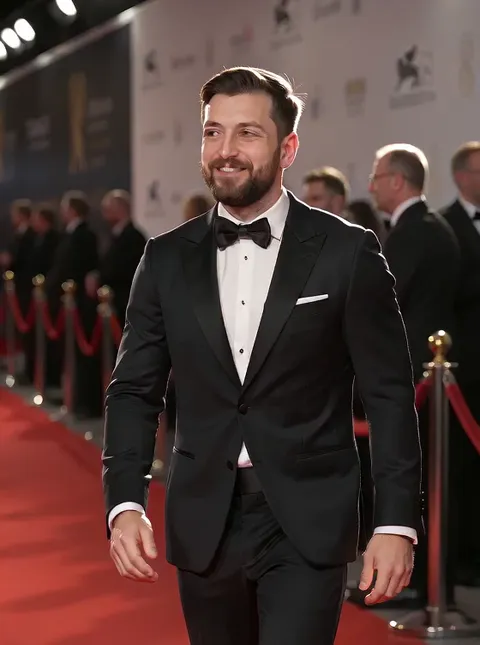

What happens when you make a photo dance with AI
Plimo's AI dance generator turns one photo into a short dancing video. Upload a picture of yourself, your baby, your dog or your cat, keep the dance prompt that's already in the box, and the model makes up the moves. Want a particular routine with its own song instead? Browse the dance templates under the generator and pick one that suits your photo.
People get a dance that suits them
The prompt in the box asks the model to pick a style from what it sees. Most people get a modern pop or hip-hop routine, though a ball gown can nudge it elsewhere. It also asks the model to keep the face, clothes and background from your photo, though small details can change.A trending dance, with the same song
Each dance template comes with a reference clip of one routine and the music that goes with it. Add your photo in the template window and the reference guides the moves and recreates the song, so both can differ a little from the original.Pets bounce and sway
Dogs and cats don't get a full routine. The prompt gives them a playful bounce or a gentle sway instead, which looks more like a real animal having fun than a puppy doing the moonwalk.Two ways in, one photo either way
Generate straight from the box above when any dance will do, or open the Templates tab when you have a particular one in mind. Both paths start from a single picture, and neither asks you to write a prompt.
How to make an AI dance video from a photo
Add your photo
Click the start frame slot next to the prompt (on a phone it sits on top), sign in, and choose a picture. The video opens on exactly that photo, so a full-body shot with nothing cut off gives the dance room to happen.Keep the dance prompt, or tweak it
The prompt is already written. Leave it as it is and the model chooses the moves, or add a few words like "a slow, dreamy sway" or "an energetic K-pop routine". Your changes stay in the box for this page, even after a refresh.Or follow a specific dance
Under the generator, the Templates tab opens on Dance. Pick a card whose clip you like, add your photo in the window that pops up and press Generate there. The result follows that dance and recreates its song, so both can differ a little from the reference.Press Generate
The generator starts on Seedance 2.0 Mini with a 5-second clip whose shape follows your photo. The button shows the credits the clip will take before anything is spent.Watch, download or try again
Your clip lands in My creations below the generator. Download it to share, or press Remake to bring the same photo and settings back and give the dance another go.
Why make dance videos with Plimo
It's an AI dance video generator for TikTok and Reels that starts from one photo, with the dance prompt and the template choreography already sorted out for you.
Enough free credits for a clip
New accounts get 100 free credits once, which covers one dance clip on Seedance 2.0 Mini, either straight from the prompt box or from a dance template.Dances that come with their music
A dance template keeps a routine and its song together, so you don't need to find a clip to copy or edit any audio yourself.No surprise charges
The credit count sits right on the Generate button. If a generation fails or a model turns your photo down, the credits come straight back to your balance.Clean clips for members
Members download dance videos without a watermark and can use them commercially. Without a membership, clips carry a small watermark and are for personal use only.Your photos stay yours
Plimo doesn't use the pictures you upload, or the videos made from them, to train models. That matters when the photo is of your kid.
AI models for dance videos
Each of these models starts the clip from your photo. They differ in clip length, sound and how closely they hold on to a face.
Seedance 2.0 Mini
The page opens on it, and it's the one model here your free credits can run, as a 5-second clip at the lowest resolution. Members can stretch it from 4 to 15 seconds, with sound unless you switch it off, and it can either invent a dance from the prompt or follow a template's dance and song.
Seedance 2.5
ByteDance's bigger model keeps dancing for anywhere from 4 to 30 seconds, long enough for a whole chorus, and adds sound by default. It's good at keeping a person or a pet looking like themselves while they move.
Kling 4.0
Runs from 3 to 30 seconds, long enough for a whole routine, and every clip comes with sound.
MiniMax H3 Max
Leans toward realistic people and faces, which helps when the dancer needs to stay recognizable to friends. Every clip has sound and runs 5 to 15 seconds.
Veo 3.1 Fast
Google's model always makes an 8-second clip with sound and a filmed, cinematic look, in a wide or vertical shape.
Dance videos people make from one photo
An AI baby dance for the family chat
Pick a photo of your baby standing, or sitting up, with the whole little body in the frame. Add "a cheerful, bouncy baby dance" to the prompt and send the AI baby dancing video to the grandparents.AI dancing for your dog or cat
Upload a clear photo of your pet on all fours and keep the prompt as it is. The prompt asks for a playful bounce or sway, and either one makes a fun AI cat dance or dog dance video for your followers.Your turn at the viral dance
When a dance challenge is all over your feed, see if there's a Dance template for it. If there is, your clip follows the routine with the same song, and an upright photo gives you a vertical clip ready for TikTok, Reels or Shorts.A birthday surprise
Use a full-length photo of the birthday person and add "dancing happily as confetti falls" to the prompt. Ask them first if it's going to the group chat, since everyone will be replaying it.Grandparents on the dance floor
A wedding or anniversary photo of a couple works well with "the two of them share a slow, gentle dance". If the print is faded or scratched, tidy it up in the AI photo editor first and use the cleaned copy.A drawing or character that dances
Create an anime character or a cartoon mascot in the AI art generator, download it and bring it back here as your photo. Arms and legs that are clearly visible give your AI dancer more to work with.An AI sway dance effect for your profile
Ask for a short sway or a little shoulder shimmy from a selfie and you get a short clip for your profile. Keep the moves small, since a close-up shows too little of you for big steps.
Questions about AI dance videos
More AI tools for video and images
AI Video Generator
Make a short video clip from a written idea, a photo or both, with a choice of video models.
Image to Video
Bring a still photo to life with movement, camera motion and, on models that support it, sound.
Text to Video
Type a scene in plain words and get a short clip of it, no photo required.
AI Image Generator
Describe a picture in your own words, add reference photos if you like, and get a brand-new image back.